
How to Fix Jio Fiber Not Working with VPN: The Definitive Guide


 4 min. read
  Published on
If your Jio Fiber is not working with VPN, it can halt remote work, block access to home servers, and disrupt streaming or gaming.
Connection issues usually stem from ISP restrictions, router configurations, or VPN protocol mismatches.

Access content across the globe at the highest speed rate.
70% of our readers choose Private Internet Access
70% of our readers choose ExpressVPN

Browse the web from multiple devices with industry-standard security protocols.

Faster dedicated servers for specific actions (currently at summer discounts)
Most problems fall into blocked ports, CGNAT restrictions, router NAT/firewall settings, or VPN protocol mismatches.
This guide provides step-by-step solutions for getting your VPN running reliably on Jio Fiber, whether you use FortiClient, a free VPN, or a premium service.
Table of contents
- Step 1: Quick Fixes for Jio Fiber VPN Not Connecting
- Step 2: Change VPN Protocols and Ports
- Step 3: Adjust DNS and MTU Settings
- Step 4: Enable Bridge Mode and Use a Secondary Router
- Step 5: Use IPv6 and WireGuard for Reliable Connections
- Step 6: Switch to a Different VPN Provider
- Step 7: Contact Jio Customer Support
- Step 8: Fix VPN Issues Using the MyJio App
- Best VPNs for Jio Fiber Networks
- Conclusion
- FAQ
Step 1: Quick Fixes for Jio Fiber VPN Not Connecting
- Restart your devices: Power off your Jio Fiber router and device. Wait 30 seconds, then power back on.
- Update VPN app and OS: Ensure both are fully updated.
- Use a wired connection: Ethernet provides more stability than Wi-Fi.
- Disable firewall or antivirus temporarily: Add VPN to allowed apps if it connects.
- Try a different VPN server: Some servers work better on Jio Fiber. See Jio 5G VPN troubleshooting guide.
Step 2: Change VPN Protocols and Ports
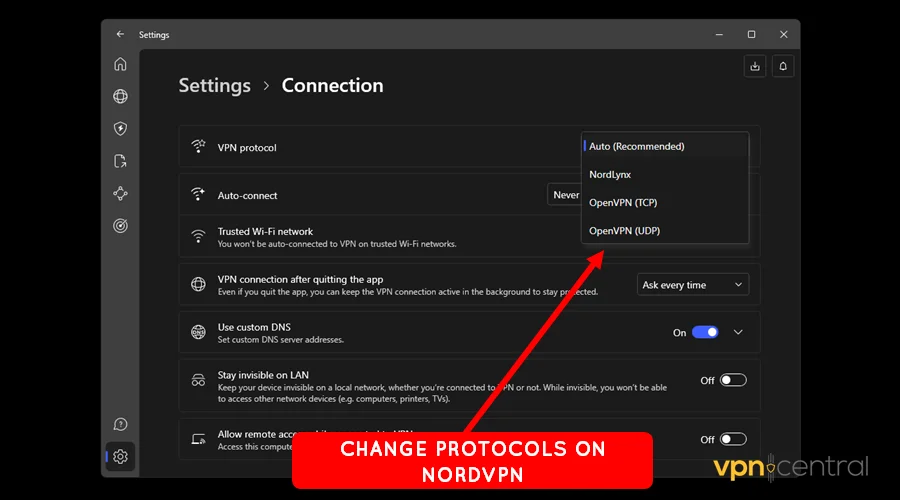
- Switch from UDP to TCP: TCP is more stable on restricted networks.
- Use port 443: HTTPS port bypasses ISP firewalls.
- Try WireGuard: Modern protocol, fast and efficient on fiber and 5G.
- Enable obfuscated servers: Masks VPN traffic. See Jio AirFiber VPN troubleshooting guide.
Step 3: Adjust DNS and MTU Settings
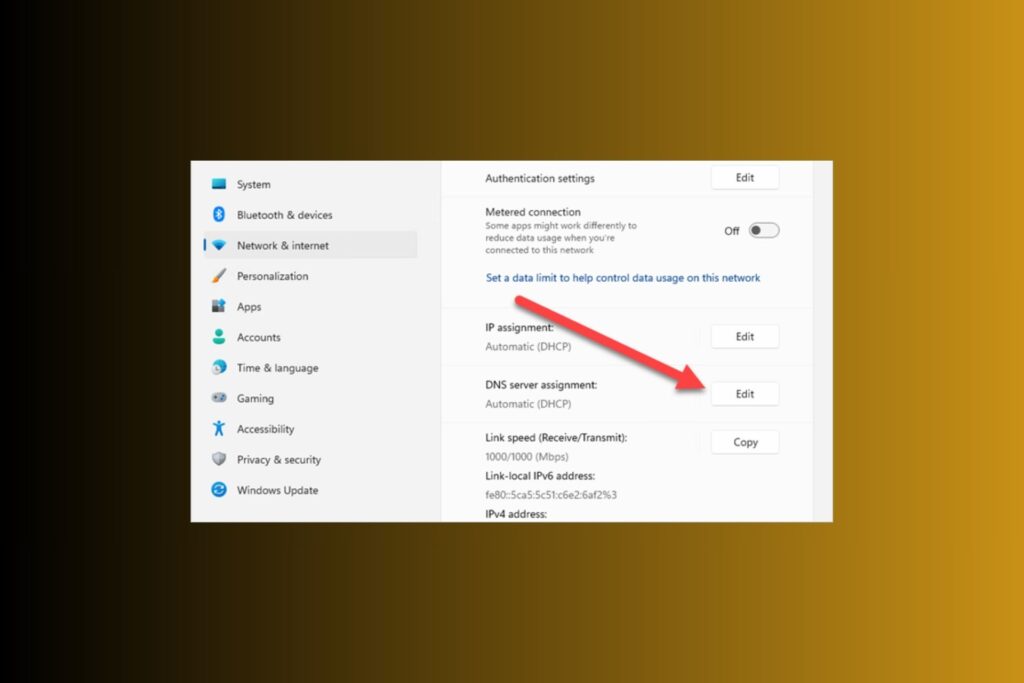
- Set public DNS: Cloudflare (1.1.1.1) or Google (8.8.8.8).
- Lower MTU: Set 1400–1420 to prevent packet loss.
Step 4: Enable Bridge Mode and Use a Secondary Router
- Activate bridge mode: Converts router into a simple modem.
- Use a secondary router: Configures VPN network-wide.
- Adjust VLAN/WAN settings: Required for ISP VLAN tagging. See Jio Cinema VPN troubleshooting guide.
Step 5: Use IPv6 and WireGuard for Reliable Connections
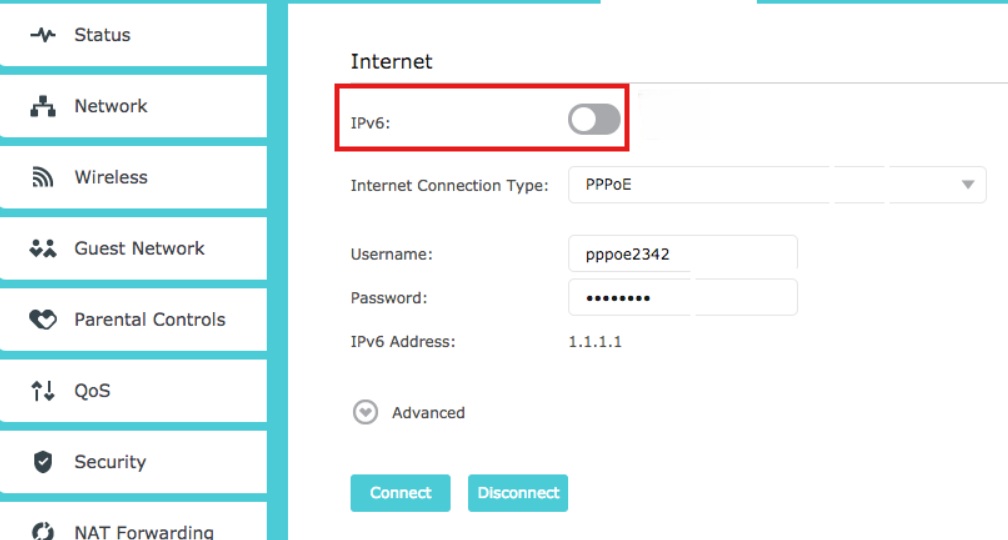
- Check IPv6 availability: Bypasses CGNAT restrictions.
- Configure WireGuard with IPv6: Ensures stable connections.
- Allow IPv6 traffic in firewall: Proper VPN routing.
Step 6: Switch to a Different VPN Provider
- Test an alternative VPN: Free or paid options.
- Choose VPNs optimized for Jio: Obfuscated servers and WireGuard support.
- Check user feedback: See examples in VPNs not working with Jio.
Step 7: Contact Jio Customer Support
- Jio Fiber support: 1800-889-9999
- Jio AirFiber support: 1800-896-9999
- Request public IP or routed IPv6: Needed for inbound VPN connections.
- Ask about port forwarding: Helps corporate VPNs like FortiClient.
Step 8: Fix VPN Issues Using the MyJio App
The MyJio app lets you manage your Jio Fiber connection. Sometimes VPN issues can be resolved directly through the app:
- Open the MyJio app (download from Play Store or App Store).
- Log in with your Jio account.
- Go to “Fiber Connection” or “My Devices.”
- Check network status for alerts like “Limited connectivity.”
- Restart your router from the app.
- Check for firmware updates.
- Enable or check advanced router settings (IPv6, firewall).
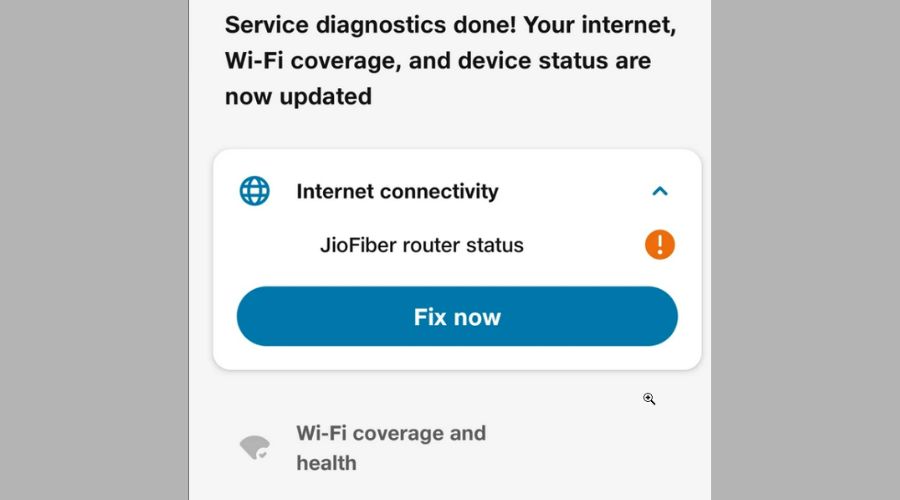
- Run diagnostics via the app’s “Troubleshoot” feature.
- Contact Jio support through the app if issues persist.
Best VPNs for Jio Fiber Networks
- NordVPN: Fast, obfuscated, WireGuard/TCP/443 support.
- ExpressVPN: Reliable on fiber and 5G; MediaStreamer for unsupported devices.
- Surfshark: Unlimited devices, beginner-friendly, obfuscated servers.
- ProtonVPN: Free tier, WireGuard support, privacy-focused.
- VyprVPN: Chameleon protocol bypasses ISP VPN restrictions.
Conclusion
Fixing VPN problems on Jio Fiber requires a structured approach: restart devices, adjust protocols and ports, tweak DNS/MTU, use bridge mode or secondary router, switch VPN providers, or manage the network via MyJio app.
For ISP-level blocks, contact Jio support. Using the right VPN ensures secure, fast, and reliable connections on both Jio Fiber and 5G networks.
FAQ
Officially, no. CGNAT, port restrictions, or DPI may interfere with VPN connections.
Likely caused by blocked ports, protocol mismatches, or router/firewall settings. Switching to TCP/443 or WireGuard usually fixes it.
Free VPNs may work but often have slower speeds or intermittent drops. Paid VPNs with obfuscation are more reliable.
Enable bridge mode, use a secondary router, or set up WireGuard with IPv6.
Jio Fiber: 1800-889-9999 | Jio AirFiber: 1800-896-9999


Read our disclosure page to find out how can you help VPNCentral sustain the editorial team Read more


Improve this guide




User forum
0 messages