
Fix Lyft Not Working With VPN on iPhone & Android (2026 Guide)


 7 min. read
  Published on

Table of contents
- Is the Lyft system down today?
- How to Fix Lyft App Not Working With VPN
- 1. Turn Off VPN and Test Lyft
- 2. Use a Nearby or Split-Tunneled VPN Connection
- 3. Switch Between Wi-Fi and Cellular
- 4. Force Quit and Restart Lyft
- 5. Clear Cache or Reinstall Lyft
- 6. Update Lyft and Your Phone
- 7. Check Location Settings and Permissions
- 8. Log Out and Back In
- 9. Toggle Offline/Online (Drivers Only)
- 10. Try a better VPN
- 11. Contact Lyft Support
- Why Is Lyft Not Working With VPN?
- Conclusion
- FAQ
If the Lyft app isn’t working with your VPN, you’ll probably notice the map not loading, the app freezing on “Lyft requested,” or messages like “please try again in a few seconds.”
These issues can hit both riders and drivers, especially when the VPN routes traffic through another city or country. The good news? You don’t have to give up privacy to get Lyft working again. Here’s exactly what to do.

Access content across the globe at the highest speed rate.
🔥 Save 81% + 2 bonus months! 🔥
70% of our readers choose Private Internet Access
70% of our readers choose ExpressVPN
2
Browse the web from multiple devices with industry-standard security protocols.
🔥 Save 73%! 🔥

Faster dedicated servers for specific actions (currently at summer discounts)
🔥 Save 69%! 🔥
Is the Lyft system down today?
Before changing anything, check whether the issue is actually with Lyft. Sometimes, the system is down temporarily and not related to your VPN at all.
Here’s how to check:
- Visit the Lyft Status page or Lyft Help Center to see if there’s an active outage.
- Look up Lyft on Downdetector — it collects real-time reports from users.
- Search Twitter or Reddit for recent posts mentioning “Lyft down” or “Lyft app not working.” If other users in your city are reporting the same errors, it’s probably a temporary system issue.
- Wait a few minutes and try again. Lyft usually fixes downtime quickly.
If Lyft’s system looks fine, move on to the fixes below.
How to Fix Lyft App Not Working With VPN
Try these fixes one by one. Each one addresses a different cause.
1. Turn Off VPN and Test Lyft
VPNs can reroute your connection through another region, which can confuse Lyft’s location and security checks.
Steps:
- Disconnect from your VPN.
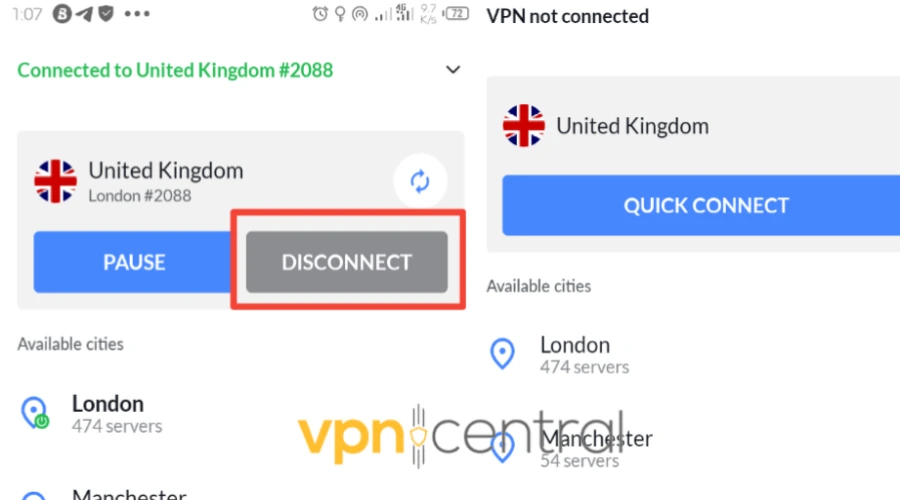
- Force close the Lyft app.
- Reopen Lyft and try again using your mobile network.
If the app loads correctly and you can request rides or go online as a driver, the VPN is the problem. You can find more troubleshooting help in this guide on how to fix VPN not working.
2. Use a Nearby or Split-Tunneled VPN Connection
If you need your VPN active for privacy or work apps, try split tunneling. It lets Lyft connect directly while keeping the VPN on for other apps.
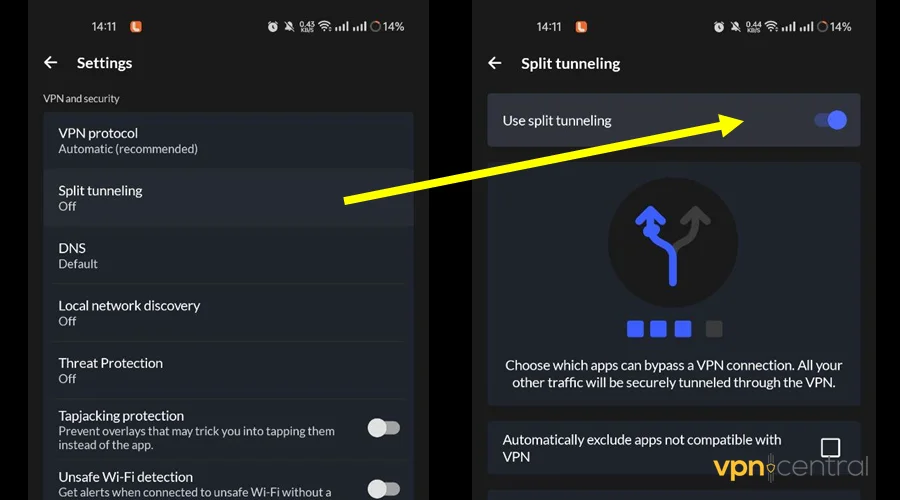
How to enable split tunneling:
- Android: Open your VPN app, look for “Split tunneling,” and select Lyft as the app to exclude.
- iPhone: Some iOS VPNs don’t support split tunneling. In that case, pick a server in your current region instead of another country.
Learn how to change VPN servers in this guide on how to change VPN location.
3. Switch Between Wi-Fi and Cellular
Some Wi-Fi networks block or throttle VPNs. Switching networks can confirm whether that’s the problem.
Steps:
- Turn off Wi-Fi and use mobile data.
- If Lyft works, the issue might be your Wi-Fi router blocking VPN traffic.
- To fix it, restart your router or disable VPN on Wi-Fi networks where Lyft doesn’t load.
For background on how networks restrict VPNs, see how VPNs are blocked.
4. Force Quit and Restart Lyft
If the Lyft app freezes on the loading screen or shows a blank map, a full restart clears temporary errors.
iPhone:
- Swipe up from the bottom and pause in the middle of the screen.
- Find Lyft, swipe it up to close, then reopen the app.
Android:
- Go to Settings > Apps > Lyft > Force stop.
- Reopen Lyft.
5. Clear Cache or Reinstall Lyft
Old cache files or leftover data can cause map and login issues, especially when you switch networks.
Android:
- Go to Settings > Apps > Lyft > Storage.
- Tap Clear cache and reopen the app.
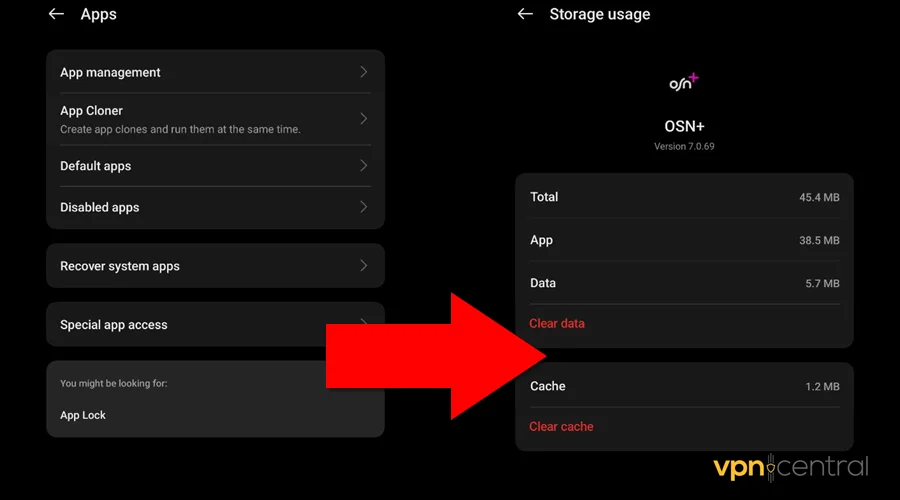
- If it still doesn’t work, choose Clear data, then sign in again.
iPhone:
- Tap and hold the Lyft app icon, then select Remove App or Offload App.
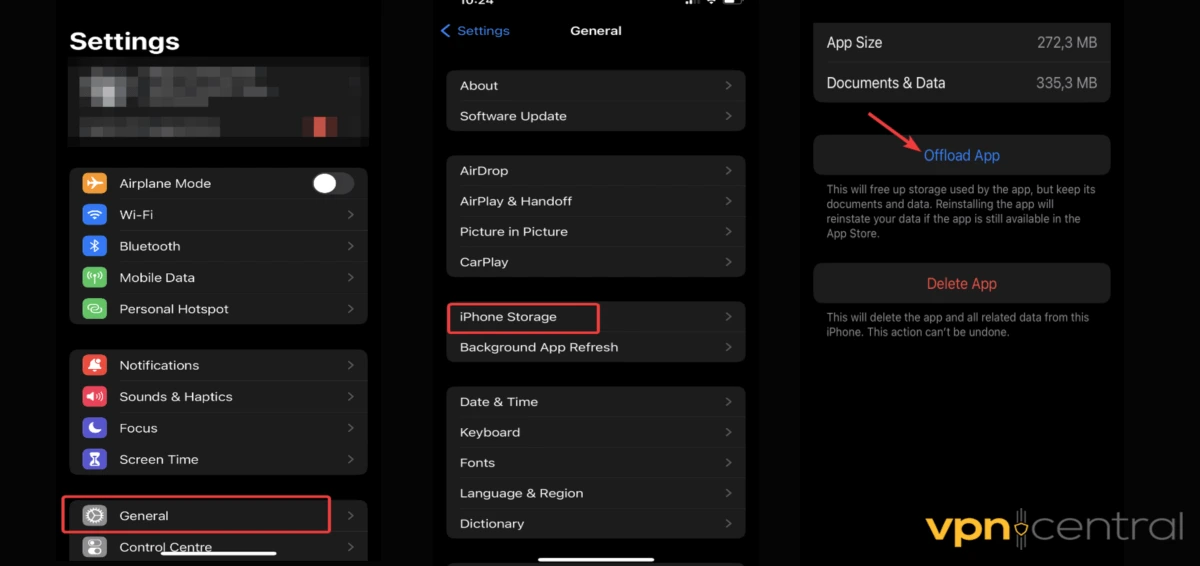
- Restart your phone.
- Reinstall Lyft from the App Store.
This fix often resolves driver app glitching and loading loops.
6. Update Lyft and Your Phone
Using an outdated app or operating system can cause compatibility issues.
Steps:
- Go to the App Store or Google Play and check for Lyft updates.
- On Android: Settings > System > Software update.
- On iPhone: Settings > General > Software Update.
If you’re having frequent VPN connection drops, it may help to check the best VPN protocol for your setup.
7. Check Location Settings and Permissions
Lyft needs precise GPS data to find and match rides. A VPN might interfere by masking your true location.
iPhone:
- Go to Settings > Privacy > Location Services > Lyft.
- Set it to While Using the App and toggle Precise Location ON.
Android:
- Go to Settings > Apps > Lyft > Permissions > Location.
- Select Allow all the time and ensure “Use precise location” is enabled.
To understand how VPNs affect GPS, read does VPN prevent location tracking.
8. Log Out and Back In
If your VPN changed your IP address mid-session, Lyft might invalidate your login token.
Steps:
- Log out of the Lyft app.
- Disconnect your VPN.
- Log back in and reconnect your VPN afterward.
9. Toggle Offline/Online (Drivers Only)
If the driver app says “Lyft requested” and freezes, go offline, wait a few seconds, and go back online. If it keeps glitching, reinstall the app and test again with the VPN disabled.
10. Try a better VPN
If Lyft keeps glitching with your current VPN, the simplest solution is to switch to a more reliable provider. A different VPN can help avoid IP blocks and location mismatches that cause errors like “Lyft requested” or blank maps.
Recommended VPN: ExpressVPN
- Known for fast, stable connections on both iPhone and Android.
- Offers multiple servers in the same city, which reduces location conflicts.
- Supports split tunneling so Lyft can bypass the VPN while other apps remain protected.
Steps to fix:
- Disconnect your current VPN.
- Install and open ExpressVPN.
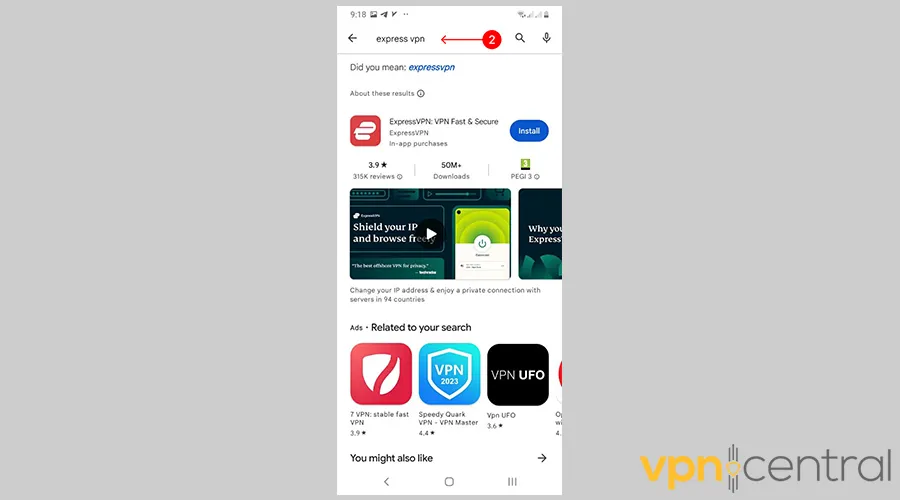
- Connect to a server in your real city or region.
- Open Lyft and test the app, the map should load and ride requests should work normally.

ExpressVPN
Avoid Lyft VPN issues. Get fast, reliable servers in your city, keep the app running smoothly on iPhone and Android!11. Contact Lyft Support
If none of the steps work:
- Visit the Lyft Help Center and open a ticket.
- Include screenshots of any error messages.
- Mention your device model, network type, and VPN service.
Why Is Lyft Not Working With VPN?
Lyft’s system relies on accurate GPS and IP data. When a VPN reroutes your connection, Lyft can’t tell where you are, so it might flag or reject the request.
Common causes include:
- Location mismatch: Your VPN shows a city different from your real one.
- Blocked or flagged IPs: Lyft’s servers may block IPs linked to suspicious or shared VPN use.
- DNS conflicts: VPN DNS servers may interfere with Lyft’s map data.
- App bugs: Some Lyft versions handle VPN traffic poorly, freezing or looping at the loading screen.
If you’re curious about how VPNs affect your visible location, check will VPN hide my location.
Conclusion
If Lyft isn’t working with VPN, start simple: turn off your VPN and test the app. If it works, use split tunneling or pick a local VPN server instead of one in another country. Make sure your app, phone OS, and location settings are updated and accurate.
If the app still won’t load, clear cache, reinstall, or contact Lyft support. Most of the time, fixing the region mismatch or refreshing permissions solves it quickly.
FAQ
The VPN might be placing you in a different city or state. Disable it and use mobile data to fix the mismatch.
You can’t manually change regions; Lyft sets it based on your GPS. If it’s wrong, disable VPN and enable precise location.
Lyft relies on precise GPS and IP data. A VPN can mask that info, triggering security checks or blocking requests. Use split tunneling or a local VPN server to fix it.


Read our disclosure page to find out how can you help VPNCentral sustain the editorial team Read more


Improve this guide




User forum
0 messages