
How to Fix NewPipe Not Working With VPN (2026 Guide)


 5 min. read
  Published on
Key notes
-
- Disable the VPN and check if NewPipe works.
-
- Clear your NewPipe app cache.
-
- Try a different VPN server or protocol.
-
- Ensure your VPN is not blocking YouTube traffic.
-
- Update your NewPipe and VPN app versions.
-
- Check if your VPN allows streaming services like YouTube.
-
- Disable any DNS leaks.
-
- Switch to a different VPN provider if necessary.
More details below.
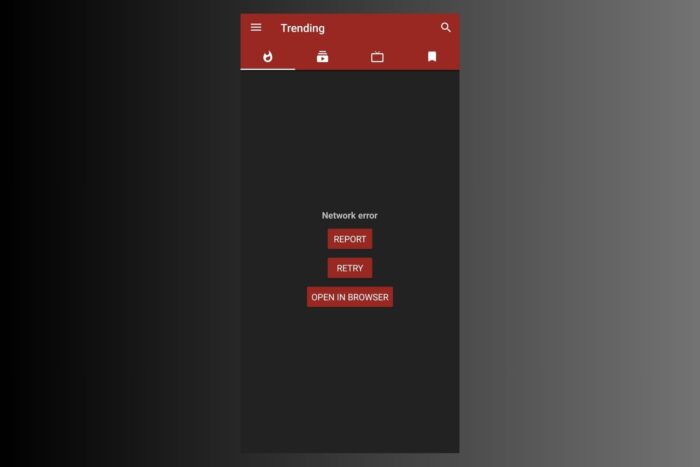
If you’re having trouble with NewPipe not working while using a VPN, it’s probably due to faulty servers or cache conflicts. Many users face issues where NewPipe fails to stream or connect properly when a VPN is active. The good new is, this issue is pretty easy to address.
Follow the steps below to quickly fix it.
Table of contents
- Why NewPipe is Not Working With VPN
- Step-by-Step Fixes to Make NewPipe Work With VPN
- Does Using VPN Change Availability on NewPipe?
- Is NewPipe Available Worldwide?
- Features Affected by VPN
- How to Choose the Best VPN for Streaming with NewPipe
- Conclusion: Fixing NewPipe Not Working With VPN
- FAQ About NewPipe and VPN
Why NewPipe is Not Working With VPN
NewPipe, a popular alternative YouTube client, can sometimes encounter problems when combined with a VPN. The primary reasons for this include region-based restrictions, IP address conflicts, DNS issues, or VPN protocol incompatibility. VPNs can affect the connection to YouTube, as certain VPN IPs may be blocked, or the server may not be optimized for streaming.
Symptoms & What They Mean
- NewPipe unable to load videos: Indicates a VPN server or protocol issue.
- Error message about region restriction: Likely a conflict with the VPN’s IP address.
- Streaming issues with slow speeds: May point to a problem with the VPN server’s location or configuration.
Typical Error Messages
- “Error: Could not connect to YouTube servers.”
- “Video unavailable in your region.”
- “Unable to play this video.”
- “Network error” (if using a VPN).
Step-by-Step Fixes to Make NewPipe Work With VPN
1) Disable the VPN and Try Again
- Disconnect from the VPN.
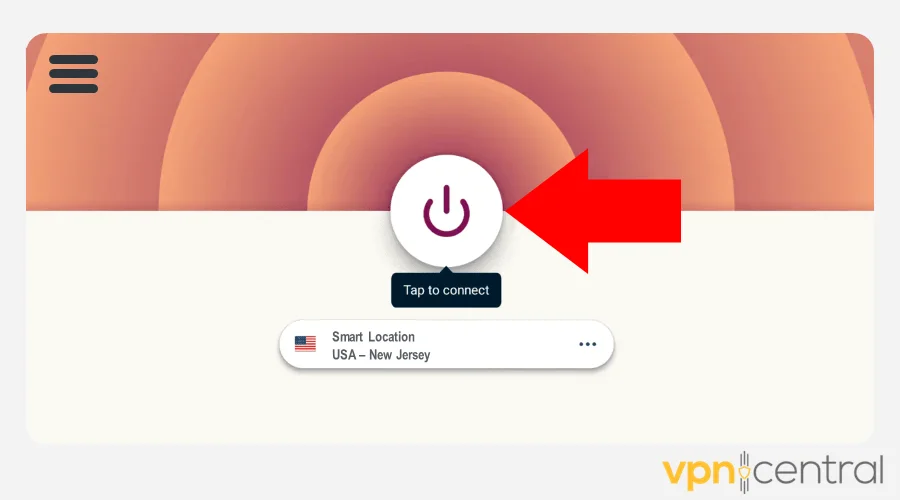
- Launch NewPipe and test streaming.
Why this helps: Disabling the VPN can determine if the issue lies with the VPN or NewPipe itself. It’s a simple way to rule out VPN-related problems.
2) Clear Cache on NewPipe App
- Go to your Android Settings.
- Tap on Apps > NewPipe.
- Select Storage and clear the cache.
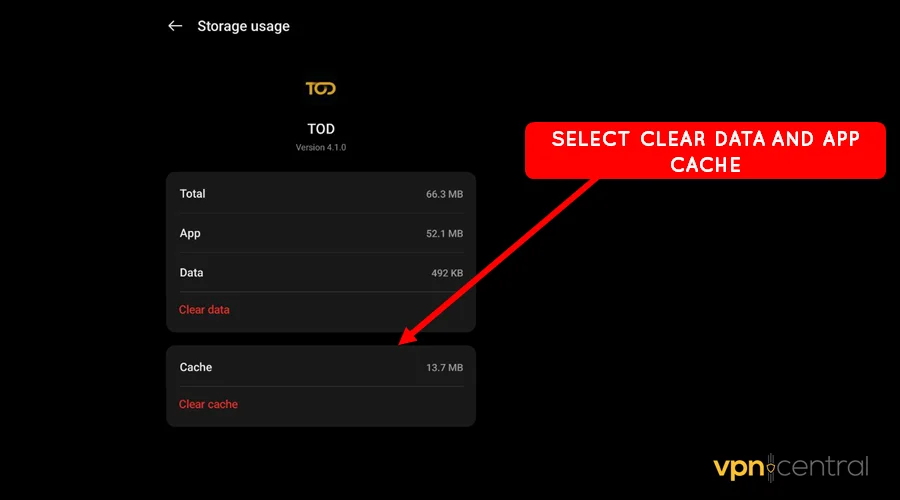
Why this helps: Clearing the cache helps remove outdated or corrupt data, which could interfere with the app’s functionality. This can resolve many streaming issues.
3) Try a Different VPN Server or Protocol
- Open your VPN app.
- Switch to a different server or VPN protocol.
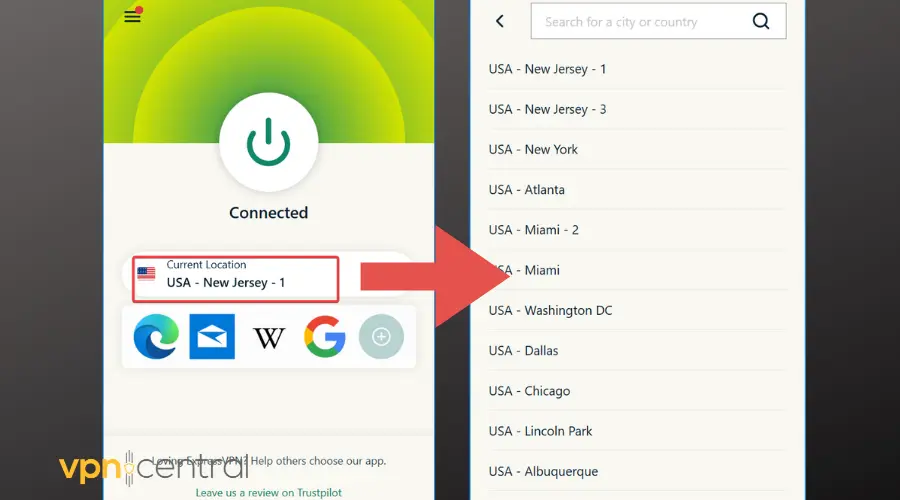
- Reconnect and test NewPipe again.
Why this helps: Switching servers or protocols can bypass restrictions or enhance connection speeds, ensuring a smoother experience with NewPipe.
4) Disable DNS Leaks
- In your VPN settings, enable DNS leak protection.
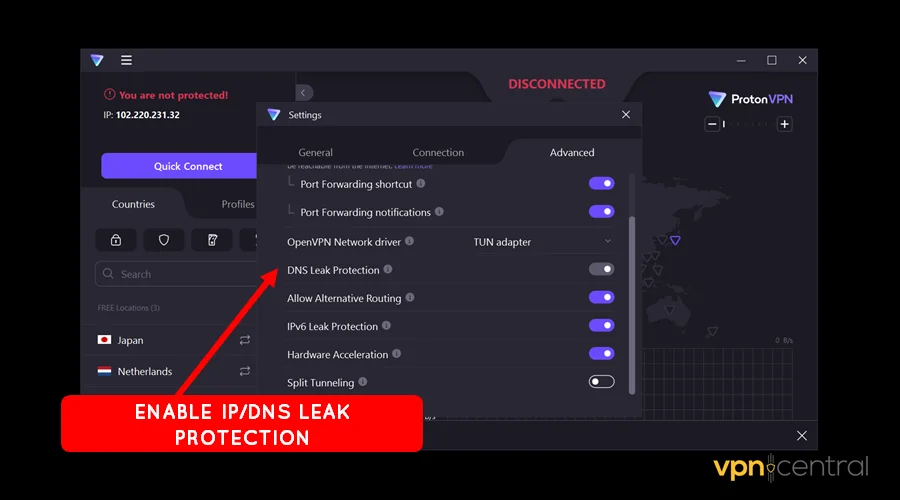
- Test your VPN connection using a DNS leak test tool.
Why this helps: DNS leaks can expose your real location, causing services like YouTube to block access. Enabling DNS leak protection ensures your true location is hidden.
5) Switch to a Better VPN Provider
- Test NewPipe with a VPN provider known for reliable streaming, such as fixing YouTube-related VPN issues or using YouTube Premium with a VPN.
- Choose a server optimized for video streaming.
Why this helps: Some VPN providers are better suited for bypassing streaming restrictions. Switching providers can often resolve connection issues and improve your streaming quality.
Does Using VPN Change Availability on NewPipe?
Yes, using a VPN can change the availability of content on NewPipe. VPNs help bypass regional restrictions by changing your apparent location, which is crucial for accessing geo-blocked content. However, not all VPN servers are suitable for streaming, and some may be blocked by YouTube, which affects NewPipe’s ability to stream videos. ISP throttling YouTube bandwidth may also be a contributing factor, as some ISPs may restrict access to video content, especially when streaming through VPNs.
Is NewPipe Available Worldwide?
NewPipe is available for download globally, but streaming availability may be restricted depending on the server location you are connecting to via your VPN. Some YouTube content is region-locked, and using a VPN is necessary to access it from other regions.
Features Affected by VPN
- Video Quality: Slower VPN servers can lower video quality and cause buffering.
- Playback Issues: VPNs may interfere with video playback, especially if the VPN server is not optimized for streaming.
- Region-Specific Content: VPNs enable access to region-blocked content, but servers not designed for streaming can create errors or delays.
How to Choose the Best VPN for Streaming with NewPipe
- Server Locations: Ensure the VPN provider offers servers in multiple regions for unlocking geo-restricted content.
- Speed & Performance: Look for a VPN known for high-speed connections to avoid buffering and lag.
- No-Logs Policy: Choose a VPN that respects privacy and offers a no-logs policy to protect your activity.
Conclusion: Fixing NewPipe Not Working With VPN
Follow these troubleshooting steps to determine whether your VPN is causing NewPipe to malfunction. Start by disabling the VPN and testing NewPipe’s performance, then proceed with clearing the cache, changing VPN settings, or updating the app. Remember that switching to a better VPN provider or checking for DNS leaks can also help resolve issues.
FAQ About NewPipe and VPN
VPNs can cause issues with NewPipe, including connection errors, region restrictions, or IP blocking by YouTube.
Not all VPNs are optimized for streaming. Some VPNs may be blocked by YouTube, preventing NewPipe from working.
Switch to a faster server or use a VPN optimized for video streaming to avoid buffering and improve video quality.
Using a VPN with NewPipe is legal in most regions, but users should always check the local laws and YouTube’s Terms of Service to ensure compliance.


Read our disclosure page to find out how can you help VPNCentral sustain the editorial team Read more


Improve this guide




User forum
0 messages