
Malicious npm Packages Pose as PostCSS Tools to Deliver Windows RAT


 9 min. read
  Published on
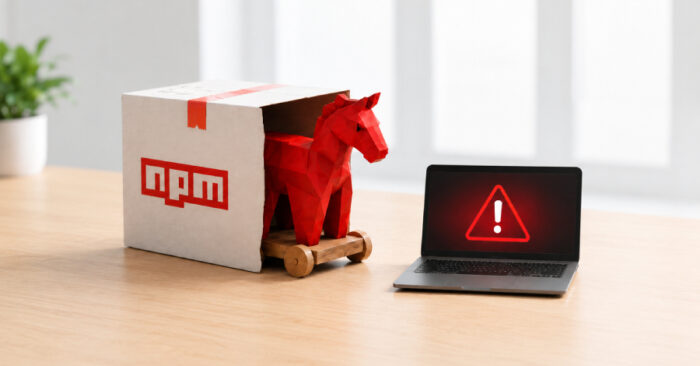
Security researchers have found three malicious npm packages that pretend to be PostCSS-related developer tools while delivering a Windows remote access trojan.
The campaign was detailed by JFrog Security Research, which said the packages lead to the same multi-stage Windows malware chain. The RAT can steal Chrome credentials, collect host information, run shell commands, transfer files, and communicate with a command-and-control server.

Access content across the globe at the highest speed rate.
🔥 Save 81% + 2 bonus months! 🔥
70% of our readers choose Private Internet Access
70% of our readers choose ExpressVPN
2
Browse the web from multiple devices with industry-standard security protocols.
🔥 Save 73%! 🔥

Faster dedicated servers for specific actions (currently at summer discounts)
🔥 Save 69%! 🔥
The packages were published by an npm user named abdrizak and were still available at the time of JFrog’s report. The three packages are aes-decode-runner-pro, postcss-minify-selector, and postcss-minify-selector-parser.
Fake PostCSS Tools Hide a Windows Payload
The most important package in the cluster is postcss-minify-selector-parser. Its name closely resembles postcss-selector-parser, a legitimate and widely used CSS selector parsing library.
JFrog said the malicious package is not a simple one-character typo. It uses the same CSS, PostCSS, selector, and parser keyword space, and it also depends on the legitimate postcss-selector-parser package to look more credible during a quick dependency review.
The other two packages support the same operation. aes-decode-runner-pro and postcss-minify-selector-parser both present themselves as layered AES or custom-codec packages, while postcss-minify-selector claims to be a PostCSS selector minifier and depends on the malicious parser package.
| Package | Reported downloads | Role in the campaign |
|---|---|---|
| aes-decode-runner-pro | 145 | Related package that leads to the same Windows payload chain |
| postcss-minify-selector | 256 | Fake selector minifier that depends on the malicious parser package |
| postcss-minify-selector-parser | 615 | Main package impersonating the PostCSS selector parser ecosystem |
How the npm Infection Chain Works
When the malicious package runs, it does not behave like a normal parser library. JFrog found that its entry point loads a hidden encoded blob, which decodes into a JavaScript dropper.
That dropper writes a PowerShell script named settings.ps1 to disk and executes it. The PowerShell script then downloads a ZIP archive from nvidiadriver[.]net, extracts it into the Windows temporary directory, and launches a VBS bootstrapper.
The downloaded bundle contains a Python runtime, a loader script, and several Python extension modules compiled with Nuitka. This design makes the final RAT more difficult to inspect than a plain JavaScript or Python script.
- The npm package loads an encoded JavaScript payload.
- The JavaScript stage writes and runs a PowerShell downloader.
- The downloader fetches a ZIP payload from a lookalike driver domain.
- A VBS script starts the bundled Python runtime.
- The Python loader imports native modules that run the RAT logic.
The RAT Steals Chrome Data and Runs Commands
Once active, the RAT contacts a C2 server at 95[.]216[.]92[.]207:8080. JFrog said the malware uses encrypted HTTP POST traffic with RC4 or ARC4 wrapping and MD5 checksum material.
The RAT can gather host information, check whether it runs in a virtual machine, upload and download files, run remote shell commands, and maintain a persistent victim identity on the infected machine.
Its most sensitive module targets Google Chrome. It references Chrome profile files, the Login Data database, Windows decryption APIs, and newer Chrome app-bound encryption logic to collect stored logins and extension data.
| Module | Function |
|---|---|
| config.pyd | Stores constants, command IDs, C2 URL, and registry key names |
| api.pyd | Handles HTTP C2 packet exchange |
| audiodriver.pyd | Runs the main RAT orchestration loop |
| command.pyd | Handles host profiling, VM checks, file transfer, and shell execution |
| auto.pyd | Steals Chrome credentials and extension data |
| util.pyd | Supports archive handling for collected data |
Registry Persistence Keeps the Malware Running
The malware adds persistence through HKCU\Software\Microsoft\Windows\CurrentVersion\Run using the value name csshost. It also stores a victim UUID and host configuration in hidden files under the Windows temporary directory.
This means the attacker can regain access after reboot if the malware remains on the machine. The RAT also uses VM checks and host profiling to avoid some sandbox and malware-analysis environments.
For developers, the risk is broader than one infected project. A compromised workstation may contain npm tokens, Git credentials, cloud keys, browser sessions, SSH keys, Docker registry credentials, and access to private repositories.
PostCSS Trust Made the Lure More Convincing
PostCSS is a major part of the modern JavaScript and CSS build ecosystem, and developers often install small parser or minifier packages without much scrutiny. Attackers exploited that routine behavior.
The legitimate postcss-selector-parser package is widely used by real build tooling. By choosing a similar name and depending on the real package, the malicious package looked less suspicious in dependency trees.
This is why lookalike build dependencies now need closer review. A small parser-style package can execute install-time or import-time code before developers realize anything is wrong.
Related npm Campaigns Show a Wider Developer Threat
The PostCSS-themed RAT campaign arrived alongside several other npm and developer supply chain attacks. SafeDep recently analyzed apintergrationpost, a public npm package that ships a Linux RAT called MYRA with rootkit-style behavior, persistence, process masquerading, and live screen capture capability.
Another SafeDep report found a malicious @withgoogle/stitch-sdk package that impersonated Google’s Stitch AI design tool and harvested developer credentials from sources such as Claude Code, Git config, GitHub CLI, npm config, Docker config, and SSH public keys.
SafeDep also documented a cluster of five npm packages in the procwire Windows dropper campaign. That operation split its malicious logic across procwire, routecraft, endpointmap, bytecraft, and staticlayer so no single package looked obviously dangerous by itself.
North Korean Supply Chain Activity Adds More Pressure
The broader developer ecosystem is also facing campaigns linked to North Korean threat activity. OpenSourceMalware has tracked PolinRider, a supply chain campaign that hides obfuscated JavaScript in developer configuration files and has affected thousands of GitHub repositories.
These incidents point to the same trend. Attackers increasingly target developers, build tools, CI systems, AI coding workflows, and package managers because they can reach many downstream systems through one compromised workstation or dependency chain.
The common thread is trust. Developers trust familiar package names, official-looking scopes, package install scripts, and popular ecosystems. Attackers are using that trust as the first stage of infection.
| Campaign | Main target | Primary risk |
|---|---|---|
| PostCSS-themed npm RAT | Windows developers | Chrome credential theft, shell access, and file transfer |
| MYRA via apintergrationpost | Linux systems | Rootkit-style behavior, persistence, and remote access |
| @withgoogle/stitch-sdk | AI and web developers | Credential theft from development tools |
| procwire cluster | Windows npm users | Install-time binary dropper execution |
| PolinRider | GitHub developers and repositories | Config-file injection and malware delivery |
What Developers Should Do Now
Developers who installed aes-decode-runner-pro, postcss-minify-selector, or postcss-minify-selector-parser should remove the packages immediately and inspect project lockfiles for direct or transitive references.
Teams should also search Windows machines for the payload paths, registry persistence entry, C2 indicators, and Python/Nuitka module artifacts reported by JFrog’s analysis.
Any developer credentials stored or used on affected machines should be treated as compromised. That includes browser-stored passwords, npm tokens, Git credentials, cloud API keys, SSH keys, Docker credentials, and access tokens for AI coding tools.
- Remove the three malicious packages from projects and lockfiles.
- Inspect dependency trees for transitive references.
- Search for %TEMP%\winPatch.zip and %TEMP%\winPatch\update.vbs.
- Check for HKCU\Software\Microsoft\Windows\CurrentVersion\Run\csshost.
- Block traffic to nvidiadriver[.]net and 95[.]216[.]92[.]207.
- Rotate browser-stored credentials and developer tokens from affected machines.
- Review recent npm installs in CI/CD runners and developer laptops.
Why This npm RAT Campaign Matters
This campaign shows how a small package can hide a full malware chain while looking like routine frontend build tooling. It also shows why package review must go beyond names and download counts.
Security teams should treat suspicious build dependencies as potential malware delivery systems. Install scripts, encoded payloads, hidden downloaders, side-effect-only imports, and lookalike names deserve special attention.
Developers should also apply the same caution to AI and developer-tool packages. The @withgoogle/stitch-sdk credential theft case, the procwire split-package dropper, the MYRA Linux RAT package, and PolinRider’s GitHub campaign all show that package managers and developer workflows remain high-value targets.
Indicators of Compromise
| Type | Indicator | Description |
|---|---|---|
| IP address | 95[.]216[.]92[.]207 | C2 server IP address |
| Domain | nvidiadriver[.]net | Payload delivery domain |
| URL | hxxp[:]//95[.]216[.]92[.]207:8080 | C2 communication endpoint |
| URL | hxxp[:]//nvidiadriver[.]net/verv1432/winpatch-xd7d[.]win | Payload download URL |
| File path | %TEMP%\winPatch.zip | Downloaded malware archive |
| File path | %TEMP%\winPatch\update.vbs | VBS bootstrapper |
| File path | %TEMP%\.store | Single-instance tracking |
| File path | %TEMP%\.host | Persistent victim UUID storage |
| Registry key | HKCU\Software\Microsoft\Windows\CurrentVersion\Run\csshost | RAT persistence entry |
| File name | win-driver-xd7d/chost.exe | Renamed Python launcher |
| File name | win-driver-xd7d/loader.py | Python loader script |
| File name | win-driver-xd7d/api.cp310-win_amd64.pyd | HTTP C2 packet exchange module |
| File name | win-driver-xd7d/audiodriver.cp310-win_amd64.pyd | Main RAT orchestration module |
| File name | win-driver-xd7d/auto.cp310-win_amd64.pyd | Chrome credential theft module |
| File name | win-driver-xd7d/command.cp310-win_amd64.pyd | Host actions and shell execution module |
| File name | win-driver-xd7d/config.cp310-win_amd64.pyd | RAT configuration module |
| File name | win-driver-xd7d/util.cp310-win_amd64.pyd | Archive helper module |
| SHA-256 | 164e322d6fbc62e254d73583acd7f39444c884d3f5e6a5d27db143fc25bc88b3 | audiodriver.cp310-win_amd64.pyd |
| SHA-256 | 50ffce607867d8fa8eaf6ef5cd25a3c0e7e4415e881b9e55c04a67bcddb74fdf | api.cp310-win_amd64.pyd |
| SHA-256 | 17832aa629524ef6e8d8d6e9b6b902a8d324b559e3c36dbd0e221ab1690be871 | auto.cp310-win_amd64.pyd |
| SHA-256 | c8075bbff748096e1c6a1ea0aa67bb6762fdd7551427a12425b35b94c1f1ecf2 | command.cp310-win_amd64.pyd |
| SHA-256 | f6669bd504ce6b0e303be7ee47f2ebbc062989c88c41f0a3f436044a24869798 | config.cp310-win_amd64.pyd |
| SHA-256 | 282b9bc318ad1234cbd1b86424b784299b8be31545802a7c6b751166b814b990 | util.cp310-win_amd64.pyd |
| npm package | postcss-minify-selector-parser | Primary malicious npm package |
| npm package | postcss-minify-selector | Related malicious npm package |
| npm package | aes-decode-runner-pro | Related malicious npm package |
FAQ
The packages are aes-decode-runner-pro, postcss-minify-selector, and postcss-minify-selector-parser. JFrog linked all three to the same Windows malware chain.
No. The campaign impersonated the trusted postcss-selector-parser ecosystem by using similar package names and dependencies. Developers should verify exact package names and maintainers before installing new build tools.
The RAT can collect host information, run VM checks, communicate with a C2 server, upload and download files, execute shell commands, maintain persistence, and steal Chrome credentials and extension data.
Developers should remove the packages, inspect lockfiles and dependency trees, search Windows endpoints for the listed file paths and registry key, block the C2 indicators, and rotate credentials from affected machines.
Build tools run in developer and CI environments that often hold sensitive credentials. A malicious package can execute during install or import, giving attackers access before the project code even runs.


Read our disclosure page to find out how can you help VPNCentral sustain the editorial team Read more


Improve this guide




User forum
0 messages