
Microsoft Issues YellowKey Mitigation for Windows BitLocker Bypass Vulnerability


 7 min. read
  Published on
Microsoft has released mitigation guidance for YellowKey, a publicly disclosed Windows BitLocker security feature bypass tracked as CVE-2026-45585. The flaw affects the Windows Recovery Environment and can let an attacker with physical access bypass BitLocker protection on affected systems.
The vulnerability matters because BitLocker protects data on lost or stolen devices. If attackers can use recovery tools to reach an unlocked command shell, they may access files on an encrypted system drive without the user’s Windows password.

Access content across the globe at the highest speed rate.
70% of our readers choose Private Internet Access
70% of our readers choose ExpressVPN

Browse the web from multiple devices with industry-standard security protocols.

Faster dedicated servers for specific actions (currently at summer discounts)
Microsoft has not released a full security update yet. Instead, the company has published manual mitigation steps that administrators can apply until a final patch becomes available.
What YellowKey does
YellowKey abuses behavior in the Windows Recovery Environment, also known as WinRE. The public proof of concept uses crafted FsTx files placed on removable media, such as a USB drive, to interfere with how the recovery environment starts.
When the attack succeeds, WinRE can open a command prompt with access to the BitLocker-protected operating system volume. That makes the issue serious for laptops, shared devices, and machines that may be lost, stolen, or accessed by an insider.
The attack still requires physical access to the target device. That limits remote exploitation, but it does not remove the risk for enterprise fleets that rely on TPM-only BitLocker protection.
YellowKey at a glance
| Item | Details |
|---|---|
| CVE | CVE-2026-45585 |
| Public name | YellowKey |
| Vulnerability type | Windows BitLocker security feature bypass |
| Severity | Important |
| CVSS score | 6.8 |
| Access required | Physical access to the target device |
| Main risk | Access to data on a BitLocker-protected system drive |
| Fix status | Mitigation available, security update pending |
Microsoft criticizes public proof-of-concept release
Microsoft said the YellowKey proof of concept was published in a way that violated coordinated vulnerability disclosure practices. The company issued CVE-2026-45585 to give customers mitigation guidance before a complete security update is ready.
The exploit was released by a researcher known as Chaotic Eclipse, also known as Nightmare-Eclipse on GitHub. The same researcher has been linked to earlier public Windows vulnerability disclosures, which has added more attention to the dispute around Microsoft’s response process.
For administrators, the disclosure debate is secondary. The practical issue is that proof-of-concept code is public, so exposed devices need protection before attackers adapt the technique.
How the BitLocker bypass works
YellowKey focuses on WinRE, the recovery environment that Windows uses for repair and recovery operations. Public technical analysis says the exploit abuses the System Volume Information\FsTx path and transaction replay behavior during recovery startup.
The attack can cause WinRE to launch a command prompt instead of the expected recovery interface. At that stage, the system volume may already be available through TPM-backed BitLocker unlocking, which gives the attacker access to files on the protected drive.
Microsoft’s mitigation focuses on preventing the FsTx Auto Recovery Utility, autofstx.exe, from starting automatically inside the WinRE image. That step blocks the recovery behavior used by the public exploit path.
What Microsoft recommends
Microsoft’s main mitigation asks administrators to modify the WinRE image and remove the autofstx.exe entry from the Session Manager BootExecute value. After that, administrators need to reestablish BitLocker trust for WinRE.
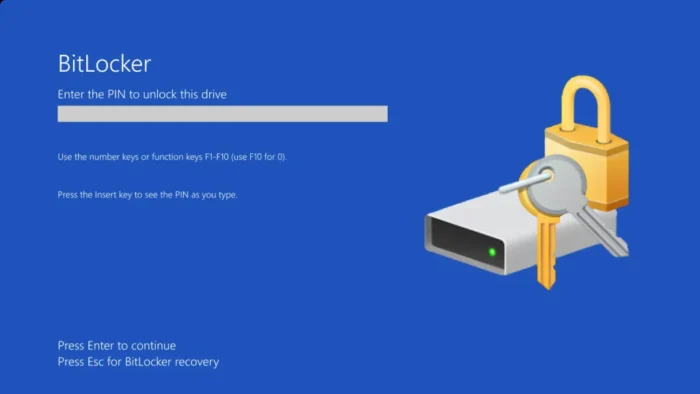
Microsoft also recommends moving already encrypted devices from TPM-only BitLocker protection to TPM+PIN. This adds a pre-boot PIN requirement and reduces the risk that a stolen device can unlock automatically during startup or recovery.
- Review affected Windows 11 and Windows Server systems that use BitLocker.
- Apply Microsoft’s WinRE mitigation for CVE-2026-45585.
- Remove the autofstx.exe startup entry from the mounted WinRE image.
- Reestablish BitLocker trust for WinRE after changing the image.
- Move TPM-only BitLocker devices to TPM+PIN where possible.
- Prioritize laptops and other devices exposed to theft or physical access.
Why TPM-only BitLocker is under pressure
Many organizations use TPM-only BitLocker because it protects data without requiring users to enter a PIN at startup. That makes deployments easier, but it can create a weakness when an attacker has physical control of the device.
With TPM-only protection, the device can unlock automatically under expected boot conditions. YellowKey shows why that model can create risk when recovery behavior can be manipulated.
TPM+PIN adds friction, but it also forces a human secret into the boot process. That makes stolen-device attacks harder, especially when attackers cannot obtain the user’s startup PIN.
Affected systems and remaining uncertainty
Microsoft’s advisory lists recent Windows 11 releases and Windows Server 2025 among the affected products. Public research and the proof-of-concept repository also discuss Windows Server 2022, while Windows 10 is reported as unaffected by the public exploit path.
Because reporting differs between official and third-party sources, security teams should not rely only on version assumptions. They should inventory devices that use BitLocker, check whether WinRE is enabled, and apply Microsoft’s mitigation where the advisory applies.
Organizations should also watch for updated guidance. Microsoft may revise affected product lists or release a full patch after completing validation.
What admins should do now
| Priority | Action | Reason |
|---|---|---|
| High | Apply Microsoft’s WinRE mitigation | It targets the recovery behavior used by the public exploit. |
| High | Require TPM+PIN for high-risk devices | It reduces exposure from stolen or physically accessed laptops. |
| Medium | Check BitLocker deployment policies | Some organizations may still rely on TPM-only protection by default. |
| Medium | Review WinRE status across managed devices | WinRE configuration affects whether the mitigation applies cleanly. |
| Medium | Track Microsoft’s security update | A final patch may replace or simplify the current manual mitigation. |
Why this matters for enterprise laptops
YellowKey is not a remote ransomware-style bug. It does not let an attacker break into a device over the internet. Its danger comes from physical access, which often gets underestimated until a laptop goes missing.
For businesses, lost and stolen laptops remain a real data exposure risk. BitLocker exists to reduce that risk, so a bypass affecting recovery workflows deserves fast attention even if exploitation requires hands-on access.
The public release of exploit code also changes the timeline. Security teams no longer need to worry only about private research. They need to assume that attackers, red teams, and opportunistic actors can study the same technique.
Summary
- Microsoft has issued mitigation guidance for YellowKey, tracked as CVE-2026-45585.
- The flaw can bypass BitLocker protections through Windows Recovery Environment behavior.
- The public exploit requires physical access to the target device.
- Microsoft recommends modifying WinRE and moving TPM-only BitLocker devices to TPM+PIN.
- A full security update is still pending, so administrators should apply the mitigation now.
FAQ
YellowKey is the public name for a Windows BitLocker security feature bypass tracked as CVE-2026-45585. It targets Windows Recovery Environment behavior and can let an attacker with physical access reach data on a BitLocker-protected system drive.
Yes. The public YellowKey exploit path requires physical access to the target device, such as access to a stolen laptop or a device that an attacker can reboot into the Windows Recovery Environment.
Microsoft has released mitigation guidance for CVE-2026-45585, but a full security update was still pending at the time of reporting. Administrators should follow Microsoft’s mitigation steps until the final patch is available.
Microsoft recommends applying the WinRE mitigation and moving devices from TPM-only BitLocker protection to TPM+PIN where possible. TPM+PIN requires a startup PIN before the drive unlocks.
The public proof-of-concept repository and independent analysis report that Windows 10 is not affected by the demonstrated YellowKey exploit path. Microsoft’s advisory focuses on affected Windows 11 and Windows Server versions.


Read our disclosure page to find out how can you help VPNCentral sustain the editorial team Read more


Improve this guide




User forum
0 messages