
Your iPhone Could Warn You in Real Time if an App Detects Scam-Like Behavior


 7 min. read
  Published on
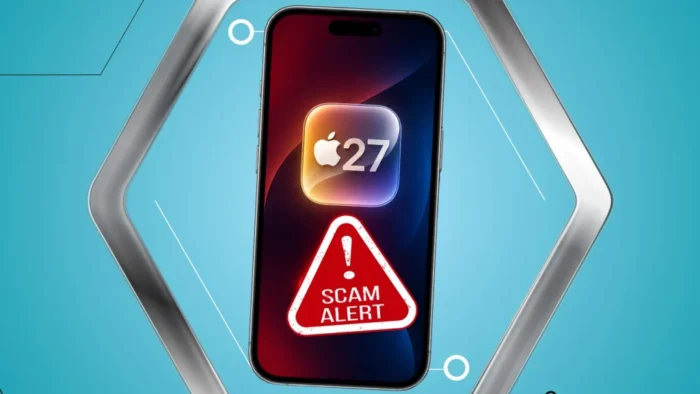
Apple is adding a new iOS 27 framework called Trust Insights that can help apps detect when a user may be getting coached through a scam in real time.
The feature is designed for social engineering attacks, where a scammer pressures a victim through calls, texts, emails, or chats while the victim carries out the risky action themselves.

Access content across the globe at the highest speed rate.
🔥 Save 81% + 2 bonus months! 🔥
70% of our readers choose Private Internet Access
70% of our readers choose ExpressVPN
2
Browse the web from multiple devices with industry-standard security protocols.
🔥 Save 73%! 🔥

Faster dedicated servers for specific actions (currently at summer discounts)
🔥 Save 69%! 🔥
Apple explained the framework in its WWDC26 Trust Insights session, saying it helps apps understand behavioral context when users may be under pressure, frightened, or deceived.
What Trust Insights Does in iOS 27
Trust Insights gives apps a way to request an evaluation when a user is about to take a sensitive action. That could include sending money, changing account details, authorizing a new device, sharing private documents, or approving a costly service request.
The framework does not look for a malicious file or a fake link. Instead, it focuses on whether the user may be actively coached into doing something risky.
According to Apple’s TrustInsights documentation, the framework enables apps to request an evaluation that can help detect and respond to social engineering threats people may face.
| Feature | What It Means | Why It Matters |
|---|---|---|
| Platform | iOS 27 | Trust Insights becomes available as a new framework for apps. |
| Main purpose | Detect likely coaching or coercion | Targets scams where the user performs the action under pressure. |
| Signal type | Behavioral context | Looks at patterns, timing, context, and basic sensor data. |
| App response | Warnings, delays, added checks, or risk scoring | Gives apps room to interrupt a scam before the action completes. |
| Privacy approach | Mostly on-device processing | Apple says content from Messages, Mail, and Photos is not inspected. |
Why Scams Are Harder to Stop Than Normal Security Threats
Many modern scams do not break into a device. They convince the user to do the attacker’s work.
A scammer may impersonate a bank, a government agency, a support technician, or a family member in an emergency. The victim may then send money, share a code, approve access, or change a setting while fully authenticated.
9to5Mac reported that Trust Insights can assign medium or high risk when it detects signs that a user may be getting coached through a scam.
How Apps Could Use Trust Insights
Apple is not telling developers to block users automatically every time Trust Insights returns a warning. The framework is meant to work alongside an app’s existing fraud detection, risk scoring, and user protection systems.
If an app receives a medium-risk signal, it might show a warning, slow down a transfer, ask the user to review details, or request extra verification. If the signal is high risk, the app can provide a stronger warning before the user proceeds.
The Apple Developer session specifically says apps should not treat Trust Insights as the only factor in a decision and should never treat an unknown result as low risk.
The Five Operation Categories
Apple built Trust Insights around categories of actions where scams can cause direct harm. Developers choose the category when requesting an evaluation.
- Payment: money transfers, asset exchanges, content purchases, and in-game purchases.
- Account: updates to account details, credentials, or security settings.
- Resource use: costly or constrained infrastructure requests, such as AI inference.
- Communication: messages, form submissions, document signing, or similar actions.
- Other: sensitive actions that do not fit the main categories.
These categories help the system apply the right model logic to the user action. A money transfer and an account security change may need different forms of friction.
Privacy Is Central to Apple’s Design
Apple says Trust Insights analyzes interaction patterns, timing, context, and basic sensor data. It does not inspect the content of Photos, Messages, or Mail.
The device-sourced data is processed locally and discarded after the evaluation. Apple says only a single output value leaves the device, and that value may be combined with account-level signals and velocity checks.
The developer documentation also shows that apps need the Trust Insights capability and entitlement before they can request insights.
Users Can Disable It, but Apple Adds a Safeguard
Apple says users remain in control and can turn off Trust Insights in Settings. However, a cooldown period may apply after disabling the feature.
The reason is simple. Scammers sometimes coach victims into disabling protections before committing fraud.
9to5Mac noted that this cooldown is meant to protect users who may have been pressured into turning the feature off during an active scam.
Examples of Scam Situations Trust Insights Could Help With
Trust Insights could become useful in apps that handle money, accounts, identity, private communication, or sensitive documents.
| Scenario | Possible App Response |
|---|---|
| A user starts a large transfer during a suspicious phone call. | The app adds a warning and delays completion. |
| A user changes account recovery details while under pressure. | The app requests additional verification. |
| A user grants remote access after a fake support call. | The app warns that support scams often use this tactic. |
| A user signs a document after receiving urgent instructions. | The app adds a review step before submission. |
Apple’s Existing Scam Advice Still Applies
Trust Insights does not remove the need for basic scam awareness. Users should still verify unexpected requests directly with the company, bank, or person involved.
Apple Support guidance says social engineering relies on impersonation, deception, and manipulation to make people hand over personal data, security codes, financial information, or account access.
Apple also warns users not to share passwords, passcodes, two-factor authentication codes, or Apple Account details with anyone who contacts them unexpectedly.
What Developers Need to Do
Developers who want to use Trust Insights need to add the capability to their app target in Xcode and request authorization before evaluating user actions.
Apple also requires real-time feedback from apps that request an insight. This tells the system whether the app used the result, increased friction, kept the experience unchanged, or handled the evaluation in another supported way.
For confirmed fraud cases, Apple encourages offline feedback through Apple Business Register so the model can improve over time without developers sending unnecessary personal information.
Why This Could Matter for iPhone Users
Trust Insights marks a shift from scam advice after the fact to possible intervention during the risky moment itself.
That timing matters. In many scams, the victim is being coached live and may not stop to think before sending money, changing a setting, or sharing sensitive data.
Apple’s support page says scammers often create urgency so victims do not have time to think or contact the company directly. Trust Insights tries to give apps a way to add that pause.
The Bigger Security Picture
iOS 27’s Trust Insights will not stop every scam. It also depends on developers adding the framework to apps where scam risk is high.
Still, the approach could help banks, payment apps, messaging apps, identity services, and document platforms protect users during high-risk moments.
As social engineering scams become more convincing, especially with voice spoofing and deepfake tools, real-time behavioral signals may become an important extra layer of protection.
FAQ
Trust Insights is a new Apple framework in iOS 27 that lets apps request an evaluation to help detect whether a user may be getting coached or coerced into a risky action during a social engineering scam.
No. Trust Insights is a developer framework, so apps need to integrate it. When used, an app can respond to risk signals by showing warnings, adding delays, requesting extra verification, or adjusting its fraud checks.
Apple says Trust Insights does not inspect the contents of Photos, Messages, or Mail. It analyzes behavioral signals such as interaction patterns, timing, context, and basic sensor data, with device-sourced data processed locally.
Trust Insights is designed for sensitive actions such as payments, account changes, costly resource use, communications, form submissions, document signing, and other high-risk operations inside apps.
Yes. Apple says users can disable Trust Insights in Settings, but a cooldown period may apply to protect people who may have been coached by scammers into turning off security protections.


Read our disclosure page to find out how can you help VPNCentral sustain the editorial team Read more


Improve this guide




User forum
0 messages