
1,500+ Arch Linux AUR Packages Hit by Supply Chain Attack Deploying Infostealers


 9 min. read
  Published on
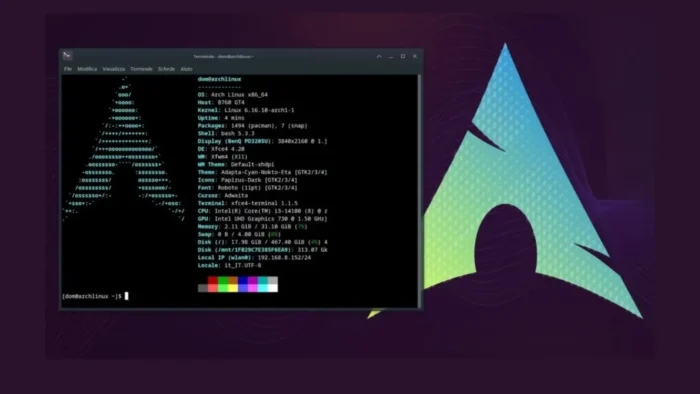
Arch Linux users are facing a major AUR supply chain incident after attackers compromised large numbers of community-maintained packages and used them to deliver Linux malware through malicious build scripts.
The campaign, widely tracked as Atomic Arch, first surfaced around June 11, 2026, when users on the AUR mailing list began reporting suspicious package updates that added unexpected npm or Bun install commands.

Access content across the globe at the highest speed rate.
70% of our readers choose Private Internet Access
70% of our readers choose ExpressVPN

Browse the web from multiple devices with industry-standard security protocols.

Faster dedicated servers for specific actions (currently at summer discounts)
Early reports counted more than 400 compromised packages, but later tracking raised the number much higher. Phoronix reported that the list had grown to more than 1,500 affected AUR packages by the end of June 12.
Attackers Targeted the Arch User Repository
The Arch User Repository, or AUR, is a community-run package source for Arch Linux users. It hosts PKGBUILD scripts, not official binary packages, which means users or AUR helpers build packages locally on their own systems.
The ArchWiki warns that AUR packages are user-produced content and not thoroughly vetted. That design gives users access to a large software catalog, but it also makes PKGBUILD review important before installation.
In this incident, attackers abused that trust model by taking over or adopting packages and changing their build instructions. Once a user installed or updated an affected AUR package, the malicious command could run during the normal build or install process.
| Incident detail | What happened |
|---|---|
| Target | Arch User Repository community packages |
| Initial date | June 11, 2026 |
| Early count | More than 400 affected AUR packages |
| Later count | More than 1,500 affected packages reported by later tracking |
| Malicious dependencies | atomic-lockfile, lockfile-js, and js-digest |
| Official Arch repositories | No evidence that core, extra, or multilib were affected |
Atomic Arch Used Malicious npm and Bun Dependencies
Sonatype said the Atomic Arch campaign targeted orphaned AUR packages and modified package build instructions to install the malicious atomic-lockfile npm package.
As the incident expanded, researchers also observed other malicious dependencies, including lockfile-js and js-digest. Some waves used npm, while others used Bun during package installation.
This approach helped attackers avoid placing all malicious logic directly inside the AUR package. The AUR package only needed to fetch a malicious dependency, which then handled the next stage of the attack.
- Attackers changed PKGBUILD or install files in affected AUR packages.
- The modified packages invoked npm or Bun during installation.
- The malicious dependency pulled down or executed additional payload logic.
- Users who installed or updated affected packages could run the malware locally.
The Malware Targeted Developer Secrets
BleepingComputer reported that the campaign pushed a Linux infostealer with optional eBPF rootkit capabilities, targeting credentials and access tokens on developer workstations and build environments.
The malware reportedly searched for browser data, Electron app data, Slack, Microsoft Teams, Discord, GitHub credentials, npm tokens, HashiCorp Vault tokens, Docker and Podman material, SSH keys, VPN material, shell histories, and other local developer secrets.
This makes the incident more serious than a normal unwanted package update. A compromised developer machine can expose source code access, deployment credentials, cloud environments, CI/CD tokens, private servers, and internal communication platforms.
| Targeted data | Possible impact |
|---|---|
| SSH private keys | Access to servers and developer infrastructure |
| GitHub and npm tokens | Source code access or package publishing abuse |
| Browser cookies and credentials | Account takeover and session hijacking |
| Vault and cloud secrets | Access to production services and internal systems |
| Slack, Teams, Discord, and Telegram data | Internal communication exposure and social engineering risk |
Rootkit-Style Behavior Raises Cleanup Risk
The reported payload included optional eBPF rootkit-style capabilities. eBPF can run programs in the Linux kernel under specific conditions, which makes it powerful for legitimate observability and security work, but dangerous when abused by malware.
According to BleepingComputer’s analysis, the malware had references to hiding processes, files, and network interfaces. That means a simple package removal may not fully clean an affected system if the payload already executed.
Users who installed affected packages should treat the system as potentially compromised, especially if they use the machine for development, cloud administration, cryptocurrency wallets, or access to production systems.
Community Tracking Put the Number Above 1,500
Arch maintainers and community members moved quickly to collect reports, delete malicious commits, and ban offending accounts. The public AUR report thread became the main place for users to submit more affected packages.
A community-maintained AUR malware check project later described more than 1,600 compromised AUR packages and listed two broad attack waves involving atomic-lockfile, lockfile-js, and js-digest.
That count may differ from earlier articles because the incident developed quickly. Reports started with hundreds of packages, then expanded as maintainers and users found more malicious commits across the repository.
| Source | Reported scope | Key detail |
|---|---|---|
| AUR community thread | Ongoing package reports | Maintainers asked users to report malicious packages in one thread |
| Sonatype | Initial orphaned-package campaign plus later waves | atomic-lockfile, lockfile-js, and js-digest activity observed |
| Phoronix | More than 1,500 affected packages | Arch developers believed known malicious commits had been addressed |
| Community malware check list | More than 1,600 packages referenced | Tracking and detection scripts collected for users |
Why Orphaned AUR Packages Were Attractive Targets
Orphaned packages are packages without an active maintainer. In a community repository, these packages can become attractive targets because they may still have users but less active oversight.
StepSecurity described the campaign as a large-scale AUR hijacking incident and said attackers turned community packages into a malware delivery network.
The strategy gives attackers reach without needing to create a new package and persuade users to install it. A hijacked or adopted package may already have trust, votes, comments, and installations.
- Orphaned packages may receive less maintainer scrutiny.
- Existing package names can look familiar to users.
- AUR helpers can make updates feel routine.
- Malicious install hooks can run during normal package builds.
- Developer machines often store high-value credentials locally.
What Arch Linux Users Should Check Now
Users who installed or updated AUR packages between June 9 and June 12 should review their systems. The safest starting point is to list foreign packages and compare them against the affected package lists.
The AUR malware check tools can help users search for signs of the June 2026 campaign, although any detection script should be reviewed before running.
Users should also inspect recent package build files for unexpected npm install, bun install, atomic-lockfile, lockfile-js, or js-digest references. Any match should trigger a deeper compromise review.
| Check | Command or action | Why it matters |
|---|---|---|
| List AUR packages | pacman -Qm | Shows foreign packages installed outside official repositories |
| Review build scripts | Search PKGBUILD and .install files | Finds unexpected npm or Bun execution |
| Check affected lists | Compare installed packages with community lists | Identifies known exposure |
| Audit credentials | Rotate keys, tokens, and passwords | Limits damage from stolen secrets |
| Consider rebuild | Reinstall from trusted media if rootkit exposure is likely | Reduces risk from hidden persistence |
Credentials Should Be Rotated After Exposure
Removing a bad AUR package may not be enough. If the malicious payload executed, the system may already have leaked credentials or local secrets.
Sonatype’s report says affected hosts should be treated as compromised and that removing the package alone may not be sufficient if the second-stage payload already ran.
Users should rotate SSH keys, GitHub tokens, npm tokens, Vault tokens, cloud keys, API credentials, browser passwords, VPN credentials, and any secrets stored in shell history, environment files, or project configuration files.
- Revoke and recreate SSH keys used on the affected machine.
- Rotate GitHub, GitLab, npm, Docker, cloud, and Vault tokens.
- Invalidate browser sessions and reset important passwords.
- Review recent commits, package publishes, and CI/CD jobs.
- Move crypto funds to a new wallet if wallet data was present.
AUR Helpers Make Review More Important
AUR helpers such as yay and paru make it easier to install and update AUR packages, but they can also normalize fast upgrades without careful PKGBUILD review.
The Arch User Repository documentation makes the trust boundary clear: AUR package files are unofficial, and users take responsibility for reviewing what they install.
After this incident, Arch users should avoid blind AUR upgrades. They should review diffs, check maintainer changes, question new install hooks, and look closely at any package that suddenly adds npm, Bun, curl, wget, base64, or remote script execution.
| Risky change in PKGBUILD | Why it should raise concern |
|---|---|
| New npm install or bun install command | May fetch unreviewed code during build or installation |
| Unexpected curl or wget command | May download payloads from remote infrastructure |
| New post_install or pre_install hook | Can execute code automatically during package installation |
| Maintainer change on an old package | May indicate legitimate adoption or a takeover attempt |
| Obfuscated shell commands | Can hide downloaders, payloads, or credential theft logic |
What This Means for Open Source Supply Chain Security
The AUR incident shows how attackers can use trusted community infrastructure to reach developer machines without exploiting a Linux vulnerability.
StepSecurity’s analysis framed Atomic Arch as a broader warning for open source ecosystems because attackers abused existing package trust rather than creating obvious malicious packages from scratch.
The same pattern has appeared in npm, PyPI, RubyGems, and other package ecosystems. Attackers look for abandoned packages, weak maintainer controls, typo-squatting opportunities, and build-time script execution.
For Arch users, the practical lesson is direct. AUR packages can be useful, but installing them means running community-controlled build instructions on your machine. That makes PKGBUILD review, package history checks, and credential isolation essential.
Phoronix’s later update reported that Arch developers believed known malicious commits had been addressed, but users who installed affected packages still need to investigate their own systems.
The Atomic Arch campaign was not only a package repository incident. It was also a developer credential incident, and any system that ran the payload should be handled with that level of caution.
FAQ
Atomic Arch was a June 2026 supply chain attack targeting the Arch User Repository. Attackers modified AUR package build scripts so they installed malicious dependencies such as atomic-lockfile, lockfile-js, and js-digest during package installation.
Early reports mentioned more than 400 affected AUR packages. Later community tracking and reporting raised the number above 1,500, with some detection resources referencing more than 1,600 packages.
Reports focused on the Arch User Repository, which is community-maintained and separate from the official Arch repositories. There was no evidence in the reporting that core, extra, or multilib official repositories were affected.
Reported targets included SSH keys, GitHub credentials, npm tokens, Vault tokens, browser cookies, browser passwords, Slack data, Discord data, Microsoft Teams data, Telegram data, Docker and Podman material, VPN data, and shell history.
Users should remove affected packages, inspect recent PKGBUILD and install files, rotate exposed credentials, revoke active tokens and sessions, review logs and developer accounts, and consider reinstalling from trusted media if rootkit-style persistence may have executed.


Read our disclosure page to find out how can you help VPNCentral sustain the editorial team Read more


Improve this guide




User forum
0 messages