
BBC Sounds Not Working with VPN? Here’s How to Fix It Fast


 7 min. read
  Published on
If BBC Sounds isn’t working with your VPN, you’re likely seeing messages like “This content is not available in your location” or streams that refuse to play. BBC blocks VPNs to enforce content rights, but there are several easy fixes that restore access within minutes.
Below, you’ll find the fastest solutions first, plus deeper troubleshooting steps for Android, iPhone, Windows, and macOS. Let’s get your BBC Sounds back online.

Access content across the globe at the highest speed rate.
🔥 Save 81% + 2 bonus months! 🔥
70% of our readers choose Private Internet Access
70% of our readers choose ExpressVPN
2
Browse the web from multiple devices with industry-standard security protocols.
🔥 Save 73%! 🔥

Faster dedicated servers for specific actions (currently at summer discounts)
🔥 Save 69%! 🔥
Table of contents
Why BBC Sounds Blocks VPNs
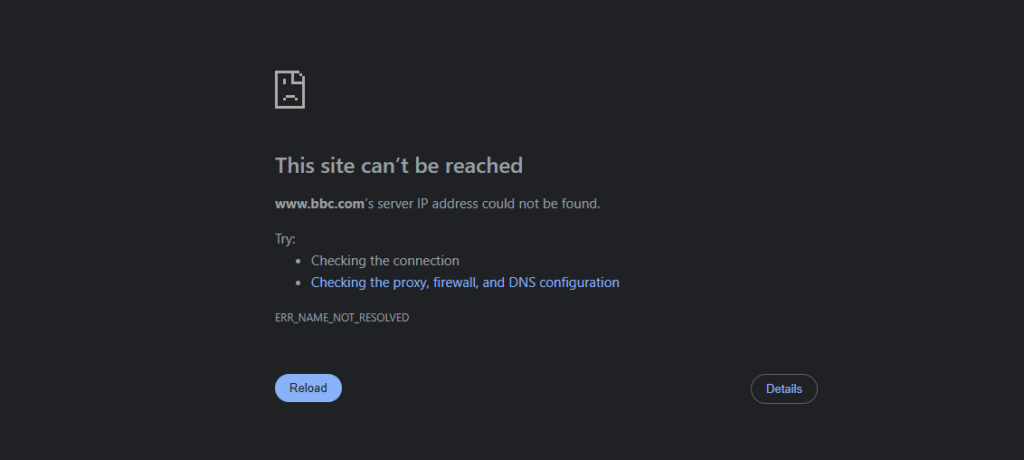
BBC Sounds, like BBC iPlayer, uses geo-restrictions to limit its content to UK audiences. When you connect to a VPN, BBC checks your IP address to verify your location. If the IP belongs to a VPN or data center, it assumes you’re outside the UK and blocks access.
This can trigger errors such as “Sorry, this content is not available in your location” or cause the app to show the international version of the site. The same logic causes the BBC iPlayer error code 02066, which also appears when VPNs are detected.
BBC detects VPNs using several methods:
- Recognizing IP addresses associated with VPN providers
- Spotting DNS or WebRTC leaks that reveal your true location
- Reading cookies that store non-UK data from previous sessions
- Monitoring traffic spikes from shared VPN IPs
If any of these signals appear, BBC Sounds automatically restricts playback or redirects you to bbc.com instead of bbc.co.uk.
Step-by-Step Fixes for BBC Sounds Not Working with VPN
1. Clear Cookies and Cache
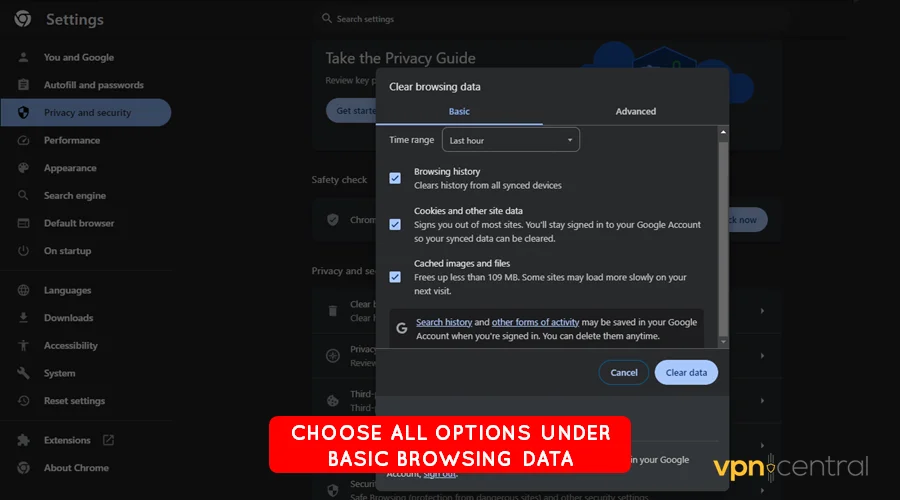
Old cookies can expose your previous location to BBC servers. Clear your browser’s cookies and cache before trying again. On mobile, clear the BBC Sounds app data or reinstall it while connected to your VPN. This ensures your device only shows your VPN’s UK IP.
2. Connect to a Different UK Server
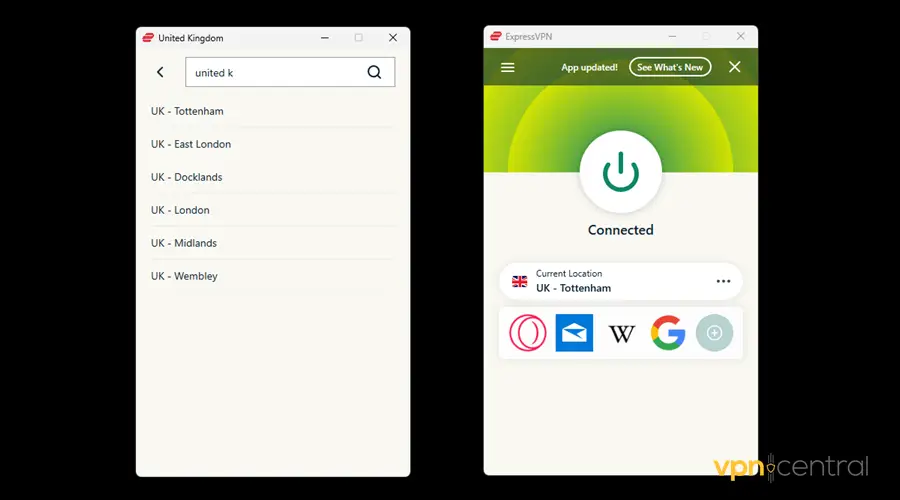
Sometimes, BBC has already blacklisted the IP address of the VPN server you’re using. Switch to a different UK server, for example, from London to Manchester or Glasgow. A new IP address often bypasses the block instantly.
3. Change VPN Protocol or Enable Obfuscation
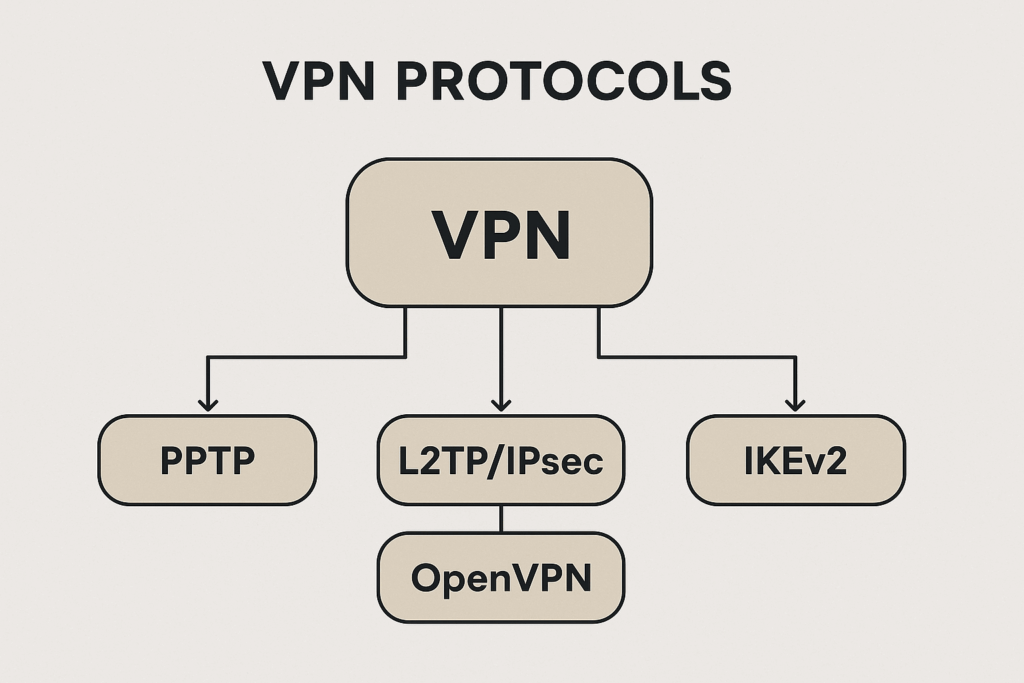
Most VPNs let you change the connection protocol (like OpenVPN, WireGuard, or IKEv2). If BBC is detecting your VPN, switch to a different protocol or enable “Stealth” or “Obfuscation mode.” These settings disguise VPN traffic as regular HTTPS, making it harder for BBC to identify and block.
4. Check for IP or DNS Leaks
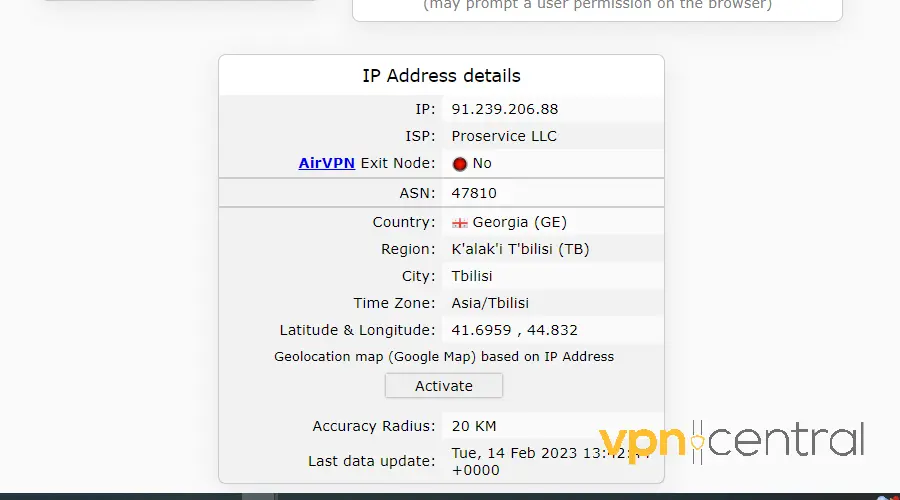
Even with a VPN, your real location can leak through DNS, IPv6, or WebRTC. Visit whatismyipaddress.com while connected to your VPN — it should show a UK IP and your VPN provider’s name. If not, enable “DNS leak protection” or “IPv6 leak blocking” in your VPN settings.
5. Disable GPS and Location Services
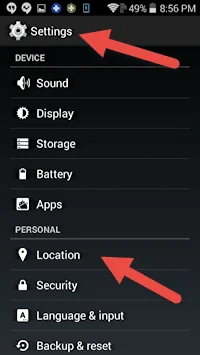
On mobile, BBC Sounds might use your device’s GPS to verify your location. Turn off location services entirely or revoke the app’s location permission. On Android and iPhone, this is usually under Settings → Privacy → Location Services. With GPS disabled, BBC Sounds will rely solely on your VPN’s IP location.
6. Re-Login with a UK BBC Account
If you created your BBC account abroad, the system may flag it as non-UK. Log out and create a new account using a valid UK postcode. Then, connect your VPN to a UK server and sign in again. This ensures your account region aligns with your VPN IP.
7. Use a VPN Proven to Work with BBC
Not every VPN can bypass BBC’s detection system. If your provider fails repeatedly, switch to one that maintains unblocked UK servers. Some services stop working when BBC updates its filters. For example, CyberGhost users have reported issues streaming BBC iPlayer, and the same applies to BBC Sounds. Choose a VPN known for regular IP rotation and strong obfuscation.

CyberGhost
Upgrade to a great VPN to unlock and stream BBC Sounds error-free!8. Contact Your VPN’s Support Team
If you’re using a premium VPN, reach out to customer support. They can recommend specific UK servers optimized for BBC streaming or confirm if there’s a temporary block. Some providers maintain dedicated “BBC” or “Streaming” servers for this exact reason.
Fixing the BBC Sounds App on Android and iPhone
If you’re using the BBC Sounds app and still facing issues, try these mobile-specific steps:
1. Install from the UK App Store or Play Store
BBC Sounds may not appear in non-UK app stores. Temporarily switch your store region to the UK, install the app, then revert your account region afterward.
2. Connect VPN Before Opening the App
Always turn on your VPN before launching BBC Sounds. Opening the app first can cache your real location, which causes persistent blocking even after connecting.
3. Use Wi-Fi Instead of Mobile Data
Mobile data connections from foreign carriers may bypass your VPN for some requests. Wi-Fi is safer since all traffic goes through your VPN tunnel.
4. Try the Web Version
If the app still won’t work, open bbc.co.uk/sounds in your mobile browser. The web player often streams successfully when the app doesn’t.
5. Reinstall or Update the App
Outdated app versions may handle region data differently. Uninstall BBC Sounds, reconnect your VPN to the UK, and reinstall the app fresh. This fetches the correct regional configuration from the start.
Why BBC Sounds Might Think You’re Overseas
Even if you’re in the UK, BBC Sounds may show the international version if your IP address is incorrectly tagged as foreign. Disconnect your VPN and refresh the page — you should automatically return to the UK version (bbc.co.uk). If not, clear cookies and reload again.
In some cases, you might also see “This content is not available in your country.” This is the same type of restriction explained in our guide on radio stations not available in your country.
Can You Access BBC Sounds Abroad with a VPN?
Yes, as long as your VPN regularly updates its UK servers. BBC Sounds and iPlayer share the same detection methods, so using a provider that stays ahead of blocks is essential. For more detailed troubleshooting, check how to fix BBC iPlayer not working with VPN.
Conclusion
When BBC Sounds doesn’t work with your VPN, start with simple steps: clear cookies, switch servers, disable GPS, and log in with a UK account. If that fails, try obfuscation or a more BBC-compatible VPN. These quick fixes usually restore streaming in minutes.
If you see “BBC this content is not available in your location,” our guide on fixing BBC’s content availability errors can help.
With the right setup, you can enjoy BBC Sounds overseas with a VPN securely , from your phone, laptop, or tablet, just as if you were in the UK.


Read our disclosure page to find out how can you help VPNCentral sustain the editorial team Read more


Improve this guide




User forum
0 messages