
How to Fix BetMGM Not Working With a VPN


 7 min. read
  Updated on

BetMGM is a popular online sportsbook and casino platform, but it strictly limits access based on location. If you try to use BetMGM from a state or country where it’s not legal, you’ll likely run into errors despite using a VPN. This can be frustrating – imagine seeing a “We cannot verify your location” or a location-restricted error when you’re eager to place a bet.
In this guide, we’ll explain why BetMGM blocks VPN connections and show you how to fix BetMGM not working with a VPN so you can get back in the game.

Access content across the globe at the highest speed rate.
🔥 Save 81% + 2 bonus months! 🔥
70% of our readers choose Private Internet Access
70% of our readers choose Private Internet Access
2
Browse the web from multiple devices with industry-standard security protocols.
🔥 Save 73%! 🔥

Faster dedicated servers for specific actions (currently discounted)
🔥 Save 69%! 🔥
Table of contents
- Why BetMGM Is Not Working With a VPN
- Step-by-Step Fixes to Make BetMGM Work With a VPN
- Best VPNs for Betting Without Errors
- Does Using a VPN Change Availability on BetMGM?
- Is BetMGM Available Worldwide?
- BetMGM Features Affected by VPN or Proxy
- How to Choose the Best VPN for Betting
- Is It Legal to Use a VPN to Access BetMGM?
- Conclusion: Fixing BetMGM Not Working With a VPN
- FAQ About BetMGM and VPN Use
Why BetMGM Is Not Working With a VPN
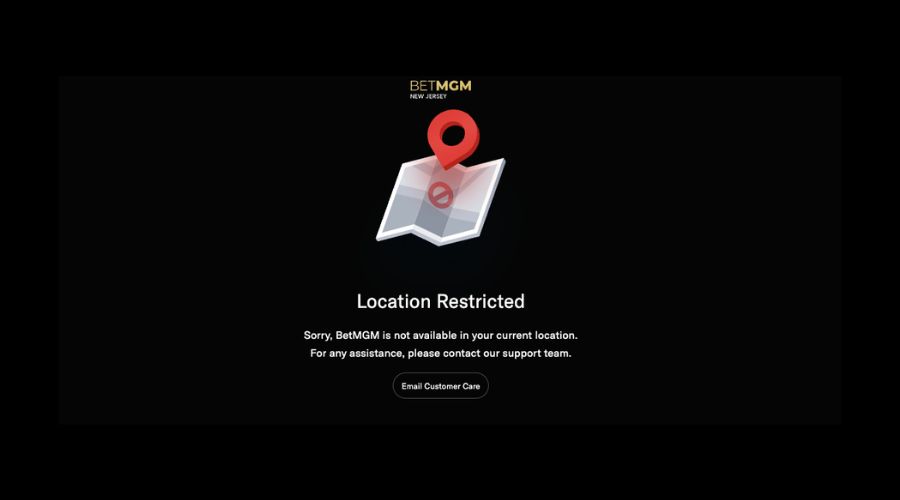
BetMGM (like many regulated betting platforms) uses geolocation technology to comply with laws and ensure players are physically in permitted areas. It actively detects and blocks VPN traffic to prevent users from bypassing geographical restrictions. Common reasons your VPN might not work with BetMGM include:
- Blocked VPN IP addresses: Betting sites maintain blacklists of known VPN server IPs. If you’re connected to one of these, BetMGM will deny access.
- Browser or app location data conflicts: Your device’s GPS or prior location info can reveal your true whereabouts.
- Cached location data and cookies: Stored data can conflict with the VPN’s IP location.
- WebRTC leaks: This browser feature can leak your real IP address even when you’re on a VPN.
- Inconsistent VPN connection or protocol: Some protocols or ports are easier for BetMGM to detect than others.
Symptoms & What They Mean
- “We can’t verify your location” – Your VPN server is blocked or location data is mismatched.
- App won’t load after VPN connection – VPN conflict with geolocation service.
- Page reloads continuously or gives blank screen – Possible cache or DNS issue.
- Connection error on login – IP flagged or rejected by BetMGM.
Typical Error Messages
- “Unable to verify your location. Please try again.”
- “Access denied from your current region.”
- “VPN or proxy detected. Please disconnect and try again.”
Step-by-Step Fixes to Make BetMGM Work With a VPN
1) Switch VPN Server or Location
- Disconnect from your current VPN server.
- Choose a different server in the same state (e.g., another New Jersey server).
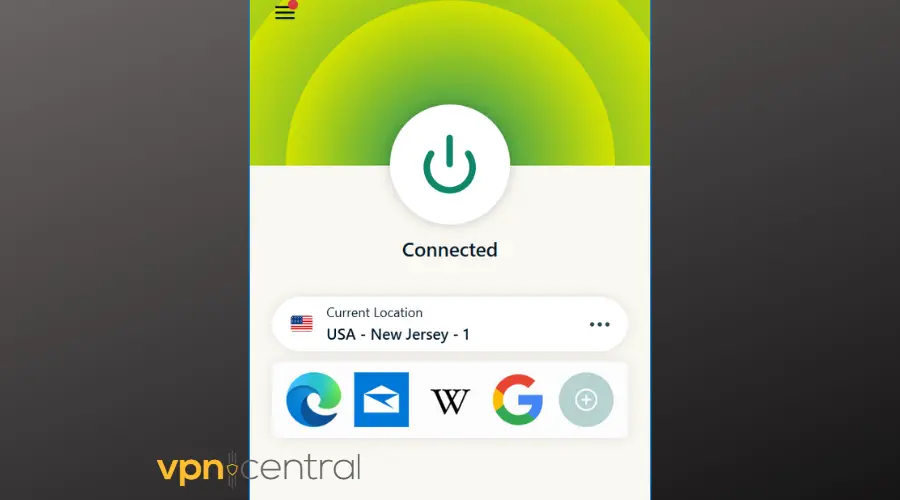
- Reconnect and reload BetMGM.
Why this helps: This gets you a fresh IP address that may not be blocked by BetMGM.
2) Use a Reputable VPN (with Obfuscation)
- Switch to a premium VPN that supports obfuscation.
- Enable stealth/obfuscated mode.
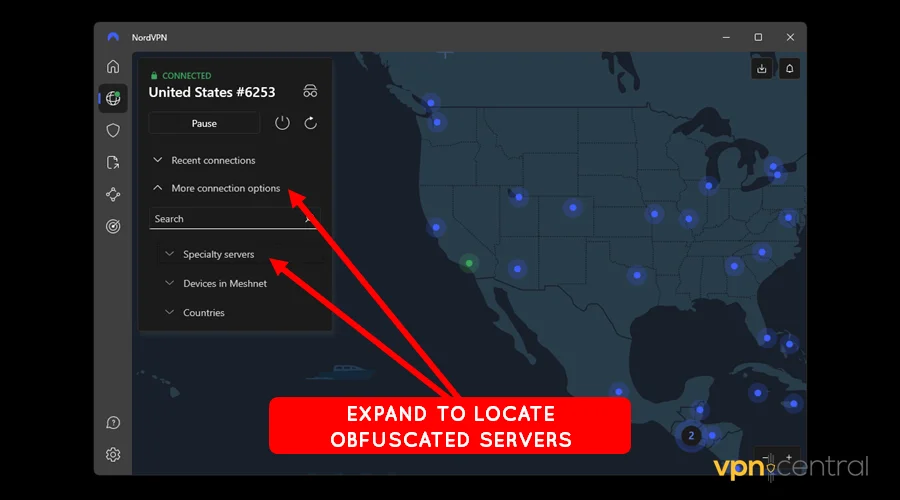
- Choose a server in a BetMGM-approved state.
Why this helps: High-quality VPNs mask your traffic and IP more effectively. If you’re not sure where to start, check out this VPN for BetMGM guide.
3) Disconnect & Reconnect the VPN
- Turn off your VPN.
- Wait a few seconds.
- Turn it back on using the same or a new server.
Why this helps: Reconnecting resets the VPN tunnel and may give you a new route or IP that works.
4) Clear Cache and Cookies
- Go to your browser settings.
- Clear cookies and cache.
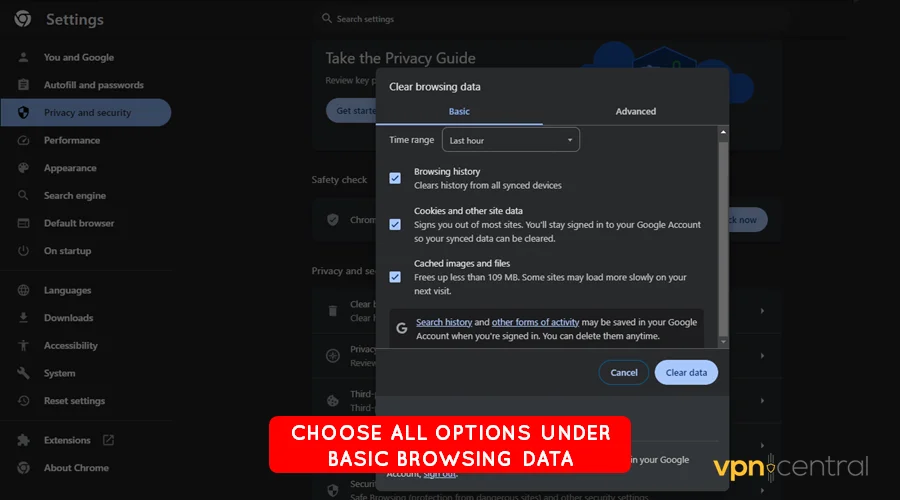
- Restart the browser and reconnect to the VPN.
Why this helps: Cleans out old data that can expose your real location or conflict with the VPN.
5) Disable WebRTC in Your Browser
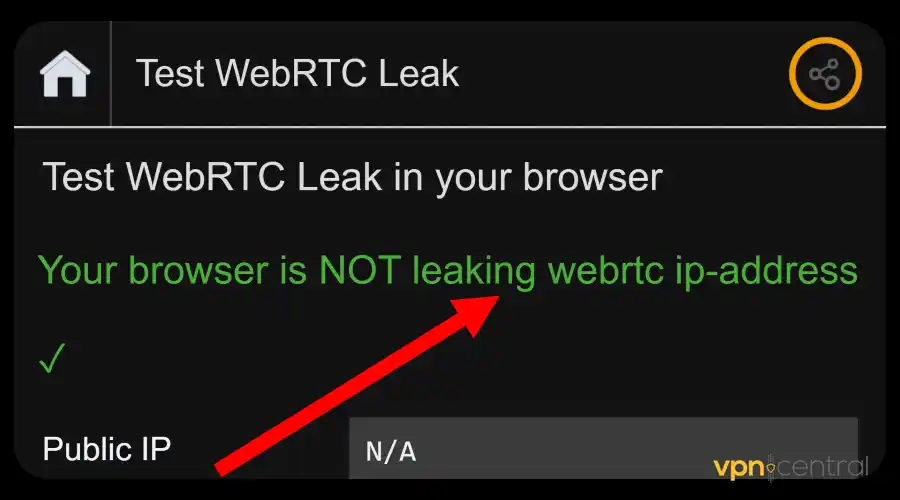
- Install a WebRTC-blocking extension or change browser settings.
- Confirm WebRTC is disabled.
- Reconnect your VPN and reload BetMGM.
Why this helps: Stops your real IP from leaking and getting flagged.
6) Check Device Location Settings
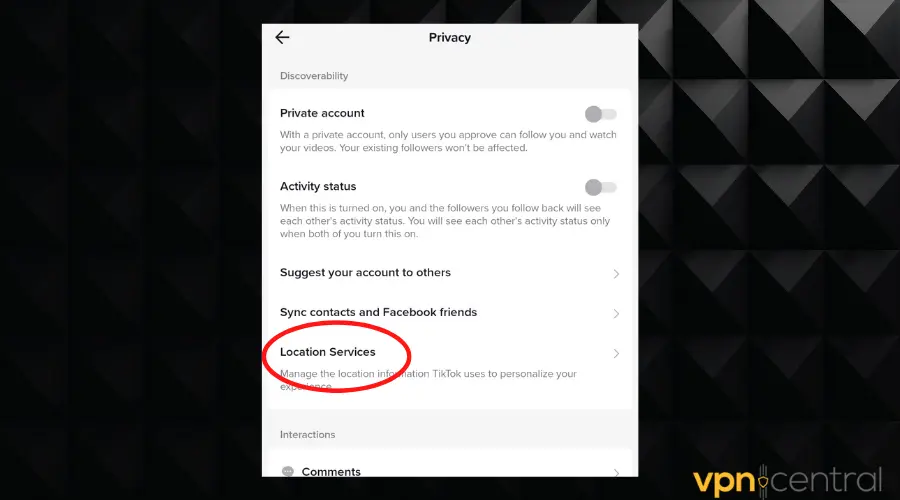
- Go to your phone’s location settings.
- Ensure location is enabled if you’re in a legal state.
- If outside allowed areas, use GPS spoofing tools with caution.
Why this helps: BetMGM checks GPS against IP. Matching them avoids detection. You can explore how others trick DraftKings location with GPS spoofing and VPNs.
7) Try a Different Protocol or Port
- Open your VPN settings.
- Switch from IKEv2 or L2TP to OpenVPN or WireGuard.
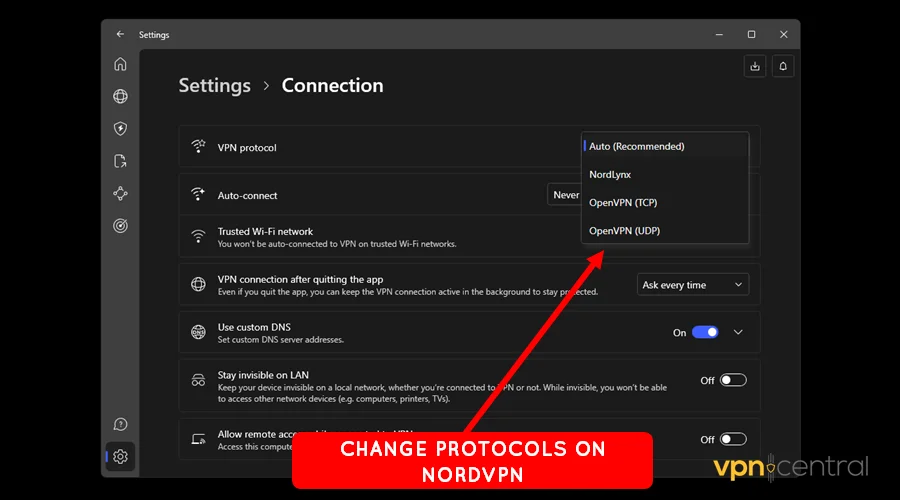
- Enable obfuscation or stealth mode if available.
Why this helps: Some protocols are harder to detect and better at bypassing blocks.
8) Contact VPN Support
- Reach out to your VPN’s support chat or email.
- Ask which servers currently work with BetMGM.
- Follow their advice to reconnect.
Why this helps: They often know the latest working configurations or have specialized servers for betting apps.
9) Avoid Free VPNs
- Uninstall your free VPN.
- Choose a paid provider with a money-back guarantee.
- Install and configure the app.
Why this helps: Free VPNs are often blocked and leak data. Learn more from this piece on free VPNs for DraftKings.
Best VPNs for Betting Without Errors
- ExpressVPN – Fast, stable, with obfuscated servers perfect for sports betting.
- NordVPN – Strong privacy and state-specific servers. Great for crypto and gambling.
- Surfshark – Affordable, works with multiple gambling platforms.
Does Using a VPN Change Availability on BetMGM?
Yes. A VPN can change which parts of BetMGM are visible or usable. But spoofing your location across state lines can get you banned. For full context, see this guide on using a VPN to bet on sports.
Is BetMGM Available Worldwide?
No. BetMGM is only available in licensed U.S. states and a few other countries. VPN access does not equal legal access.
BetMGM Features Affected by VPN or Proxy
- Geolocation Verification: Fails or blocks access.
- Login/Authentication: May not proceed if location doesn’t match.
- Payments & Withdrawals: Could be frozen if location spoofing is suspected.
- Live Bets: Lag or disconnection due to VPN routing.
How to Choose the Best VPN for Betting
- Server Availability – Choose providers with U.S. servers in betting-legal states.
- Obfuscation Support – Helps disguise VPN traffic.
- No-logs Policy – Protects your data if investigated.
- Money-back Guarantee – Test risk-free.
- Multi-platform Apps – Works on iOS, Android, browsers, and routers.
Is It Legal to Use a VPN to Access BetMGM?
It depends. In most states and countries, using a VPN to bypass location restrictions violates BetMGM’s Terms of Service. You could be banned or lose winnings. For more detail, see this breakdown: is it illegal to use a VPN to gamble online.
Conclusion: Fixing BetMGM Not Working With a VPN
If BetMGM blocks your VPN, it’s likely due to IP blacklists or location mismatches. Switch servers, clear cache, use obfuscation, or upgrade your VPN. And always consider legal risks before trying to spoof your location.
FAQ About BetMGM and VPN Use
No, but it detects most public VPN IPs. Use stealth features to reduce detection.
Yes, it can violate terms and lead to bans or loss of funds.
Often yes. BetMGM uses GPS to verify location.
IP blacklists update regularly. Switch servers or contact VPN support.
Yes. Some platforms are more VPN-friendly. See our crypto casino VPN guide.


Read our disclosure page to find out how can you help VPNCentral sustain the editorial team Read more


Improve this guide




User forum
0 messages