
Troubleshooting Jio Cinema Not Working with VPN: Best Solutions


 6 min. read
  Published on

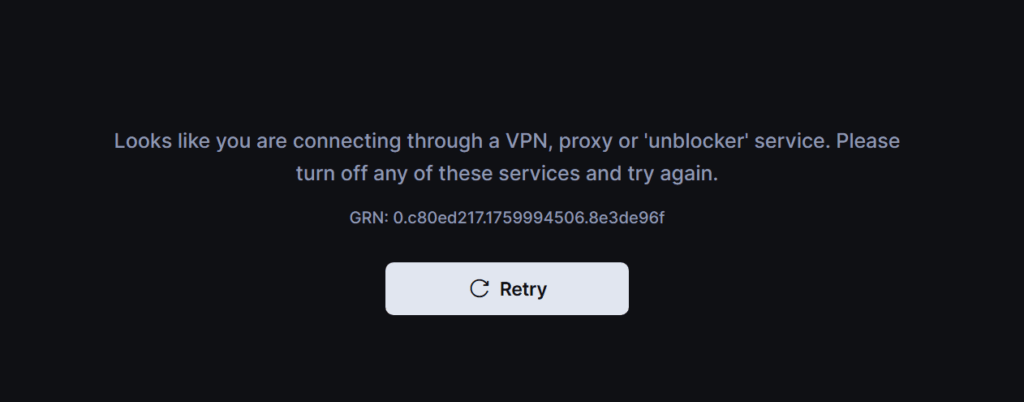
If you’re trying to watch Jio Cinema outside India, you might have run into a problem: Jio Cinema not working with VPN.
This happens because JioCinema, now part of JioHotstar, blocks IP addresses from many popular VPNs to enforce geo-restrictions. Whether you’re trying to catch Bollywood hits, web series, or live sports like the IPL, a blocked VPN can put a serious damper on your streaming plans.

Access content across the globe at the highest speed rate.
🔥 Save 81% + 2 bonus months! 🔥
70% of our readers choose Private Internet Access
70% of our readers choose ExpressVPN
2
Browse the web from multiple devices with industry-standard security protocols.
🔥 Save 73%! 🔥

Faster dedicated servers for specific actions (currently at summer discounts)
🔥 Save 69%! 🔥
In this guide, we’ll show you why JioCinema blocks VPNs, how to fix connection issues, and which VPNs are most likely to work reliably.
Table of contents
- How to Fix Jio Cinema Not Working with VPN
- 1. Clear Cookies and Browser Cache
- 2. Switch VPN Server
- 3. Change VPN Protocol
- 4. Update Your VPN App
- 5. Switch to a VPN That Works with JioCinema
- 6. Enable DNS and IPv6 Leak Protection
- 7. Use a Different Device or Browser
- 8. Check Account Verification
- 9. Disable Location Services
- 10. Contact VPN Support
- 11. Reinstall JioCinema or JioHotstar
- 12. Check for Network Restrictions
- Why Is Jio Cinema Not Working with VPN?
- How Does Jio Cinema Block VPN?
- What Can I Watch on Jio Cinema?
- How to Properly Configure VPN for JioCinema
- Best VPNs for Jio Cinema
- Conclusion
- FAQ
How to Fix Jio Cinema Not Working with VPN
1. Clear Cookies and Browser Cache
Old cookies or cached data can reveal your real location even when a VPN is active.
- In your browser, go to Settings → Privacy → Clear Browsing Data
- Clear cookies and cache for all time or at least the last 24 hours
- Restart the browser and reconnect your VPN
On mobile devices, go to App Settings → JioCinema → Clear Cache
2. Switch VPN Server
Not all Indian VPN servers are equal. Some may be blacklisted by JioCinema.
- Disconnect from your current server
- Select a different server located in India
- Reconnect and reload JioCinema
See VPN servers explained for more details.
3. Change VPN Protocol
VPN protocols determine how your data is encrypted and routed. Switching can bypass VPN detection:
- Open your VPN app → Settings → Protocol
- Try OpenVPN (UDP or TCP), WireGuard, or IKEv2
- Reconnect and test JioCinema
Learn more about how VPNs work.
4. Update Your VPN App
Older VPN versions may fail to bypass JioCinema’s blocks.
- Check your VPN app store page or website for updates
- Install the latest version
- Reconnect to an Indian server
5. Switch to a VPN That Works with JioCinema
Some VPNs consistently bypass JioCinema geo-blocks. Recommended options include ExpressVPN, NordVPN, Surfshark, Ivacy, and ProtonVPN.
6. Enable DNS and IPv6 Leak Protection
Even with a VPN, your real location may be exposed through DNS or IPv6 leaks.
- Open VPN settings → Enable DNS leak protection
- Enable IPv6 leak protection if available
- Reconnect and test streaming
7. Use a Different Device or Browser
Sometimes the JioCinema app or your current browser blocks VPN traffic.
- Try a smartphone, tablet, or computer instead
- Alternatively, use a different browser (Chrome, Firefox, Edge)
8. Check Account Verification
JioCinema requires an Indian phone number to verify accounts.
- Ensure your account is verified with a valid Indian number
- Without verification, even a VPN cannot bypass geo-restrictions
9. Disable Location Services
Some apps detect your real location via GPS or system location settings.
- On mobile devices, go to Settings → Location → Turn off for JioCinema
- On desktop, disable location services in your browser
10. Contact VPN Support
If none of the above steps work, your VPN provider may have servers that bypass JioCinema blocks.
- Reach out to support via chat or email
- Ask for Indian servers optimized for streaming
11. Reinstall JioCinema or JioHotstar
A fresh installation can clear hidden conflicts or corrupted files:
- Uninstall the app from your device
- Reinstall the latest version from Google Play, App Store, or website
- Connect VPN and try again
12. Check for Network Restrictions
Some ISPs or networks may block VPN connections:
- Try connecting on a different Wi-Fi network or mobile data
- Avoid public networks that may throttle or block VPNs
For similar issues with other Jio services, check how to fix Jio AirFiber VPN issues and how to fix Jio 5G VPN problems.
Why Is Jio Cinema Not Working with VPN?
JioCinema actively blocks VPN traffic to enforce licensing agreements. Even if your VPN is connected, the platform can detect:
- IP addresses from known VPN providers
- DNS or WebRTC leaks revealing your real location
- High traffic from a single IP
If this happens, you’ll usually see:
- “Content not available in your region” messages
- Videos buffering endlessly
- App crashes or login failures
For a deeper dive into VPN blocking methods, see how VPNs are blocked.
How Does Jio Cinema Block VPN?
JioCinema uses multiple techniques:
- IP Blacklisting: Blocks known VPN server IPs
- DNS Leaks: Checks whether your DNS requests match your VPN location
- Device Detection: Some smart TVs or mobile apps detect abnormal network traffic patterns
For more on IPs and geo-blocking, check what an IP address is.
What Can I Watch on Jio Cinema?
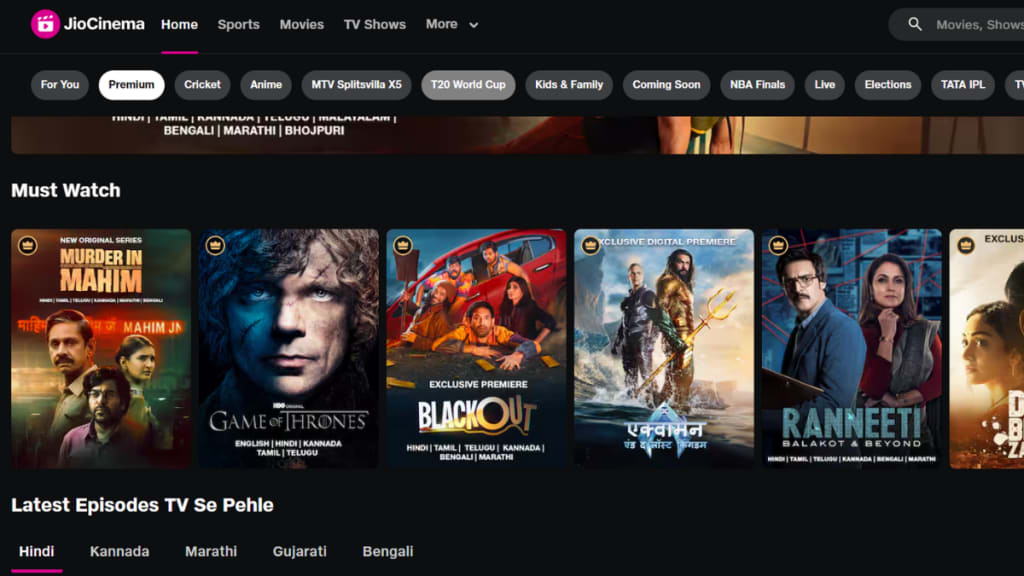
JioCinema offered a wide range of content before merging with Disney+ Hotstar. Now on JioHotstar, you can still watch:
- Bollywood Hits: Blockbuster films and fan favorites
- Regional Films: Tamil, Telugu, Kannada, and Marathi cinema
- TV Shows & Web Series: Popular series and exclusive originals
- Live Sports: IPL cricket, ICC tournaments, and more
- Documentaries & Shorts: Cultural and educational content
See how to watch JioCinema in Canada for an example of accessing content abroad.
How to Properly Configure VPN for JioCinema
- Choose a VPN with Indian servers
- Enable DNS and WebRTC leak protection
- Connect to a high-speed Indian server
- Clear browser/app cache before opening JioCinema
- Ensure your account is verified with an Indian phone number
- Restart your device and test streaming
For a step-by-step overseas guide, see watch JioCinema in the UK.
Best VPNs for Jio Cinema
ExpressVPN
Fast servers in multiple Indian locations. Known for reliable bypassing of geo-blocks. Includes DNS leak protection and apps for all devices.
NordVPN
Large server network in India, specialized streaming servers, and robust privacy features. Works well for JioCinema and JioHotstar.
Surfshark
Affordable and allows unlimited devices. Comes with CleanWeb and leak protection, making it a good choice for bypassing Jio restrictions.
Ivacy VPN
Dedicated streaming servers in India, optimized for HD playback. Lightweight apps and affordable pricing.
ProtonVPN
Strong security and privacy, moderate speeds, servers in India suitable for streaming JioCinema.
Conclusion
Watching JioCinema from outside India can be tricky because the platform blocks VPNs to enforce regional restrictions. The key is using a reliable VPN, switching servers, updating your apps, and enabling leak protection. By following these steps and using the right tools, you can unlock JioCinema content wherever you are.
FAQ
Not directly. You need a VPN with an Indian server to access content from outside India.
JioHotstar is the unified streaming platform formed after JioCinema merged with Disney+ Hotstar. It offers movies, TV shows, live sports, and originals.
Common causes include blocked VPN servers, DNS leaks, device restrictions, or unverified accounts


Read our disclosure page to find out how can you help VPNCentral sustain the editorial team Read more


Improve this guide




User forum
0 messages