
Ring Camera Not Working with VPN: Fix Guide


 4 min. read
  Updated on
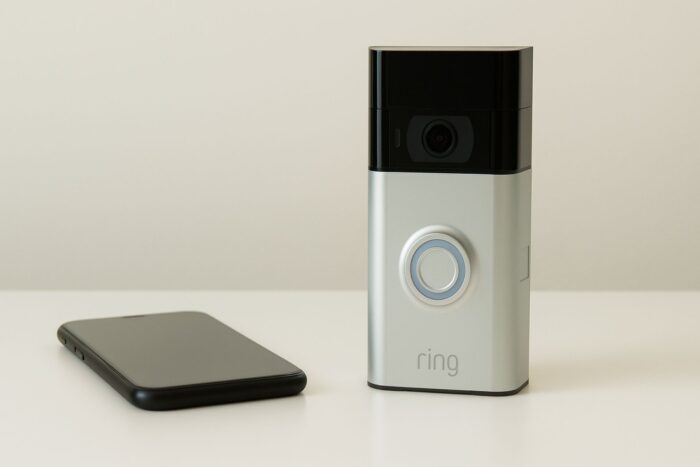
Ring camera not working with VPN is a frustrating collision between smart home security and privacy tools.
Because Ring explicitly does not support VPN use, enabling one often causes blank video streams or “camera not responding” errors. In this guide, you will see why this happens, who it affects, and several hands-on fixes so you can keep your VPN and use your Ring reliably.

Access content across the globe at the highest speed rate.
70% of our readers choose Private Internet Access
70% of our readers choose ExpressVPN

Browse the web from multiple devices with industry-standard security protocols.

Faster dedicated servers for specific actions (currently at summer discounts)
Table of contents
How VPNs Break Ring Cameras
Ring states that they do not support the use of VPNs with the Ring or Neighbors apps. VPNs change your IP, route traffic differently, and may use shared or blocked address pools. Ring security systems may flag these IPs as suspicious or outside expected ranges.
Live video streaming needs consistent low latency. VPNs can introduce routing delays, timeouts, or DNS conflicts that break video streaming. If you turn on a VPN during setup, the app may detect an unexpected network and refuse to finish.
When a VPN runs on your router, the effect can extend to all connected devices, including smart cameras. For the bigger picture, see does VPN affect all devices.
Step-by-Step Fixes When Ring Camera Isn’t Working With VPN
Fix 1: Exclude Ring from VPN (split tunneling or bypass)
- Open your VPN app and find split tunneling or app bypass.
- Add the Ring app to the exclusion list.
- Save the change and keep the VPN on.
- Open Ring and try Live View.
This sends Ring traffic outside the VPN and avoids routing conflicts.
Fix 2: Temporarily disable VPN while using Ring
- Turn off your VPN on the phone or tablet you use for Ring.
- Open the Ring app and connect to your camera.
- After you finish, turn your VPN back on.
This is the simplest workaround, but it reduces privacy while the VPN is off.
Fix 3: Router level VPN with exclusions or dual networks
- If your VPN is on the router, exclude the Ring camera IP from the tunnel.
- Use a dual router or VLAN setup to keep smart home devices off the VPN.
- Keep the Ring device on the clean network for stable access.
This prevents the VPN from interfering with devices that need direct, stable connectivity.
Some VPN methods and tools work differently. To understand why, review VPN app vs browser extension.
Fix 4: Try a different VPN server or protocol, and disable filtering
- Switch to a closer or less crowded VPN server.
- Change the protocol to WireGuard or IKEv2 if available.
- Turn off threat protection or DNS filtering that can block Ring traffic.
Different servers and protocols can avoid blocked IP ranges or high latency paths.
Fix 5: Reset or reinstall and reconfigure
- Update your Ring camera firmware and the Ring app.
- Reinstall the Ring app to clear cached settings.
- Factory reset the Ring device.
- Set it up again with the VPN disabled, then test with your chosen VPN method.
This clears stale configuration that may have been tied to a past network state.
Conclusion
Using a VPN with a Ring camera is tricky because Ring does not support VPN traffic. The mismatch can cause routing, IP, or security conflicts that break streaming or app access. Your best options are split tunneling for the Ring app, router level exclusions for the device, or short VPN toggles during viewing. VPNs can also affect other services, not just cameras. If you want more context, check does VPN affect phone calls.
FAQ
Ring cites technical issues and security risks tied to some VPN IP ranges. Blocking these helps maintain service reliability.
Yes. Recordings are stored on Ring servers. Once you regain app access, you can review past events.
No. Encryption protects video data but does not change network routing behavior that the VPN affects.
Some self hosted or local network camera setups offer more control, but they require more management and may reduce convenience.
Turning off the VPN reduces privacy during that time. Split tunneling or router level exclusions are safer approaches.


Read our disclosure page to find out how can you help VPNCentral sustain the editorial team Read more


Improve this guide




User forum
0 messages