
How to Fix Super 6 Not Working With VPN: Step-by-Step


 6 min. read
  Published on
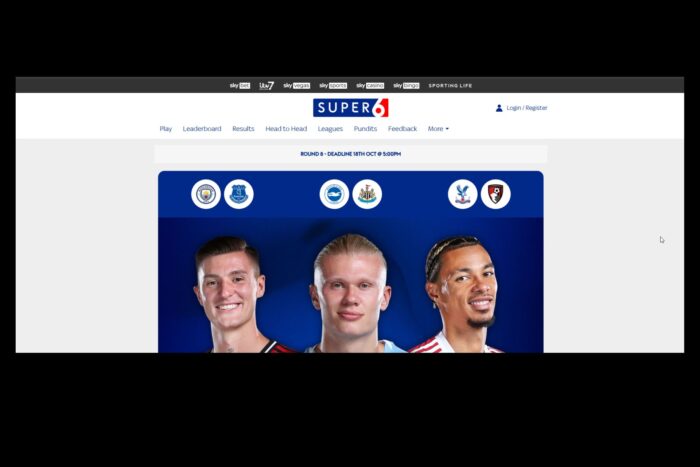
Super 6 not working with VPN can be a real headache if you want to play your favorite football prediction game while keeping your location private.
Whether the Super 6 app keeps crashing, won’t load, or Sky Sports detects your VPN, these problems can stop you from making your predictions and enjoying the app.

Access content across the globe at the highest speed rate.
🔥 Save 81% + 2 bonus months! 🔥
70% of our readers choose Private Internet Access
70% of our readers choose ExpressVPN
2
Browse the web from multiple devices with industry-standard security protocols.
🔥 Save 73%! 🔥

Faster dedicated servers for specific actions (currently at summer discounts)
🔥 Save 69%! 🔥
In this guide, we’ll break down why Super 6 may not work with your VPN and show you simple steps to fix it so you can get back to predicting scores without interruptions.
Table of contents
Why Super 6 May Not Work With VPN
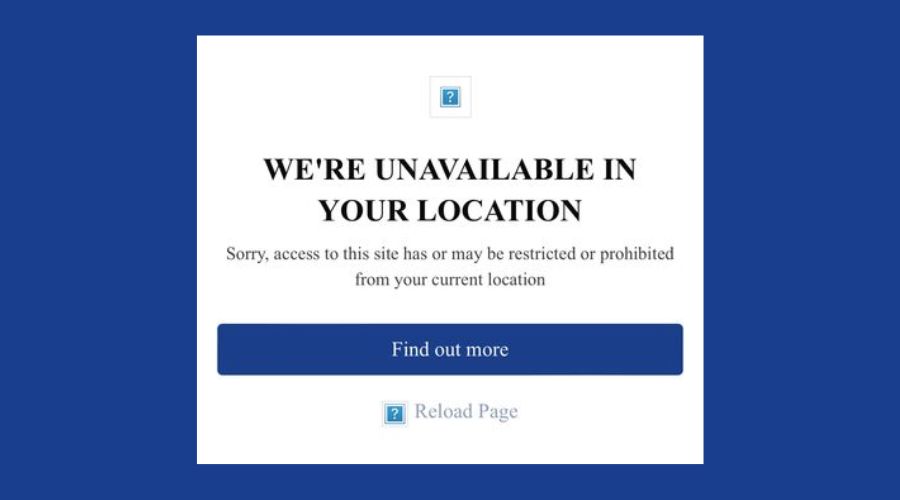
- VPN Detection by Sky Sports: Super 6 actively blocks VPN traffic to enforce regional restrictions. Some apps, such as Sky Sports Kodi, which shows how Sky detects and blocks VPN connections, experience similar issues when users try to bypass regional restrictions.
- Region Restrictions: The game is limited to certain countries, usually the UK, so VPN location mismatches can prevent access.
- App Glitches or Crashes: Outdated versions or corrupted app data can cause the app to crash or fail to load.
- Network Issues: Slow or unstable VPN servers may interfere with app functionality.
- Device or OS Issues: Outdated operating systems or apps can conflict with VPN connections.
Step-by-Step Fixes for Super 6 Not Working With VPN
Step 1: Use a Reliable VPN with UK Servers
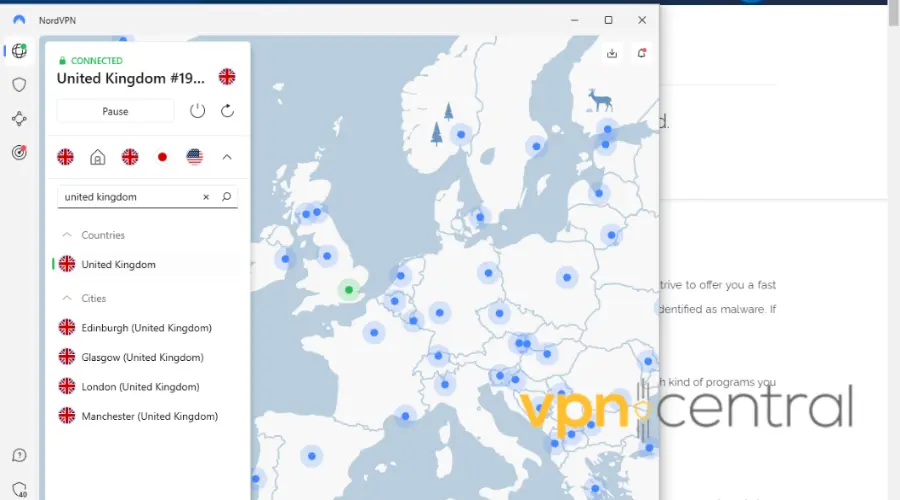
How: Pick a premium VPN such as NordVPN, Surfshark, or CyberGhost. Open the VPN app and connect to a server located in the UK. Once connected, open the Super 6 app and check if it loads.
Super 6 is a UK-based app and checks your IP address to verify location. Low-quality or free VPNs are often detected and blocked, which can prevent the app from loading or cause crashes. A trusted VPN ensures faster speeds, stable connections, and less risk of detection.
Tip: If your VPN has a “dedicated IP” option, consider using it. Dedicated IPs are less likely to be flagged than shared ones.
Step 2: Clear App Cache and Data
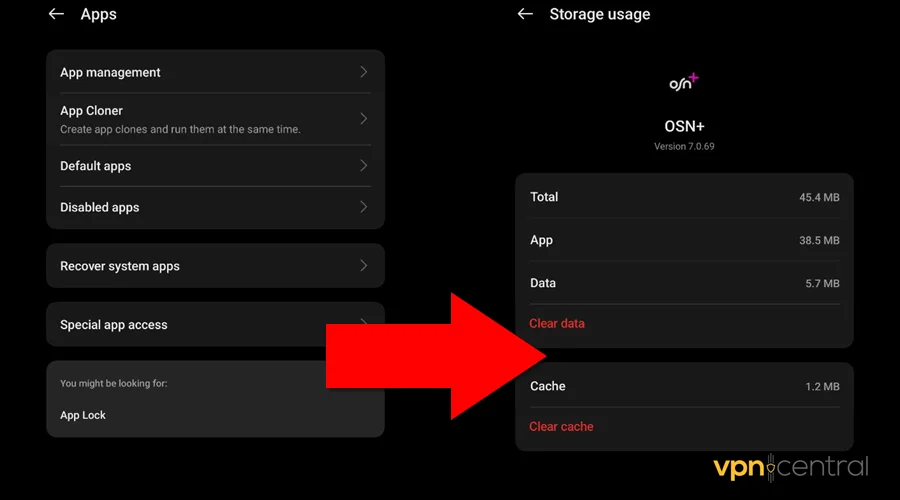
How:
- On Android, go to Settings → Apps → Super 6 → Storage → Clear Cache / Clear Data.
- On iOS, delete and reinstall the app. Restart the app after clearing the data.
Corrupted or outdated data can stop the app from loading properly, cause crashes, or prevent VPN connections from working. Clearing cache/data gives the app a fresh start and often resolves glitches without complicated troubleshooting.
Think of this as a “reset button” for the app. It removes hidden bugs and lets the app behave like new.
Step 3: Update or Reinstall the Super 6 App
How: Check the App Store or Google Play Store for updates. If the app keeps crashing, uninstall it and reinstall the latest version from the official source.
Developers frequently release updates to fix bugs and improve compatibility with VPNs. Using an outdated version can prevent you from accessing the app or cause unexpected crashes. Reinstalling also clears any corrupted files causing the issue.
Staying updated keeps the app stable and reduces frustration when playing.
Step 4: Temporarily Disable VPN
How: Turn off your VPN and open Super 6. Check if the app loads and functions normally. If it works, reconnect the VPN after the initial load.
Some Super 6 features require your real location to function properly. A VPN may interfere with location detection, causing errors. Disabling the VPN temporarily can help confirm whether the VPN is the problem.
This step isolates the problem so you know whether the VPN is the root cause instead of wasting time on unnecessary fixes.
Step 5: Check Your Network and Device
How: Switch between Wi-Fi and mobile data to test connectivity. Restart your device to clear temporary glitches. Ensure your operating system is up to date.
Slow or unstable networks can prevent the app from loading, and background issues on your device can interfere with VPN connections. Restarting refreshes the system and clears temporary conflicts.
A stable connection is essential for gaming apps, especially those using real-time updates like Super 6.
Step 6: Use a Dedicated IP Address
How: Check if your VPN provider offers dedicated IP addresses. Connect using that IP instead of a shared one.
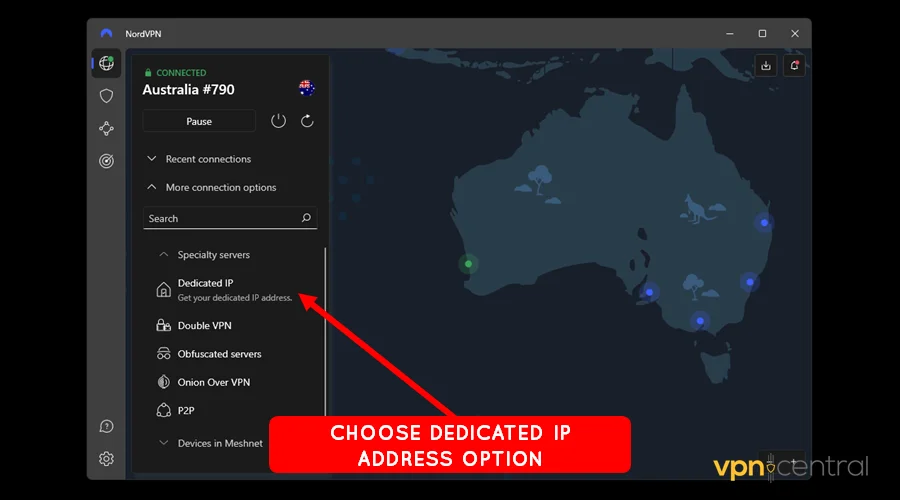
Shared IPs are often flagged and blocked by apps like Super 6. A dedicated IP is unique to your account and reduces the chance of detection, providing a more reliable connection.
This is a long-term solution for consistent VPN access without repeated disruptions.
Step 7: Switch VPN Protocols
How: In your VPN app, switch protocols such as OpenVPN, WireGuard, or IKEv2. Reconnect and try opening Super 6.
VPN protocols handle data differently. Some are more detectable than others or may be slower on certain networks. Switching protocols can bypass restrictions, improve speed, and stabilize connections.
This is a simple tweak that often fixes stubborn connectivity issues without reinstalling anything.
Step 8: Check for App Updates
How: Regularly check the App Store or Google Play Store for Super 6 updates. Enable automatic updates to avoid missing critical fixes.
App updates fix bugs, improve VPN compatibility, and optimize performance. Running the latest version ensures you get these improvements automatically.
Keeping the app updated reduces crashes and frustration, letting you focus on predicting football scores instead of troubleshooting.
Conclusion
Super 6 not working with VPN can be frustrating, but most issues are easy to fix. Using a reliable VPN, keeping the app updated, clearing cache, or temporarily disabling your VPN usually solves the problem. If you want to see how VPNs can sometimes be blocked by Sky services, check out ExpressVPN not working with Sky Sports for an example of similar issues. By following these steps, you can get the Super 6 app running properly again and get back to predicting football scores without interruptions.
FAQ
Super 6 needs your location to enforce regional restrictions and ensure users play from supported countries.
The app can detect IP addresses from VPN servers or unusual traffic patterns, which can trigger a block. Apps like Sky Sports Kodi, which shows how Sky detects and blocks VPN connections face similar restrictions.
Playing outside the UK is tricky. Using a reliable UK VPN may help, but the app may still detect and block VPN traffic.
Yes, you can try the official Super 6 website to participate in competitions without using the app.
Choose a premium VPN with fast servers in the UK and a good track record for bypassing streaming restrictions.


Read our disclosure page to find out how can you help VPNCentral sustain the editorial team Read more


Improve this guide




User forum
0 messages