
VPN Not Connecting: Step-by-Step Fixes


 5 min. read
  Updated on
When your VPN refuses to connect, you can fix it with a few quick checks and structured steps. This guide covers Windows, macOS, iOS, and Android, and includes solutions for common error codes.
Table of contents
How to Fix VPN Not Connecting
➡️ Before You Start

Access content across the globe at the highest speed rate.
🔥 Save 81% + 2 bonus months! 🔥
70% of our readers choose Private Internet Access
70% of our readers choose Private Internet Access
2
Browse the web from multiple devices with industry-standard security protocols.
🔥 Save 73%! 🔥

Faster dedicated servers for specific actions (currently discounted)
🔥 Save 69%! 🔥
- Confirm your internet works without the VPN.
- Restart your device and router.
- Update your VPN app and your operating system.
- Verify your subscription and credentials.
1) Restart the VPN App and Try Another Server
- Quit the VPN app completely.
- Relaunch it and sign in.
- Select a different server or location and connect.
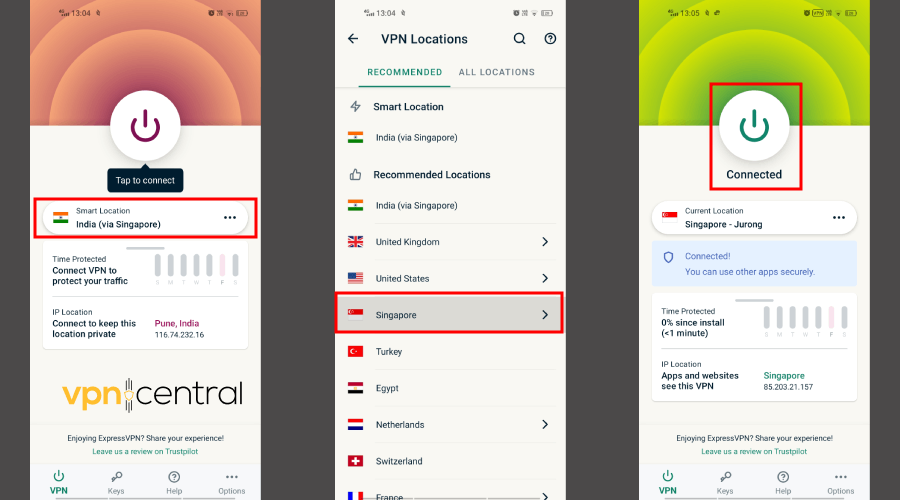
If your connection still fails after authenticating, you might encounter Error 691 (authentication failed). Reset your password, verify username, and re-enter your credentials. For more details, see VPN connected but not working.
2) Switch VPN Protocols
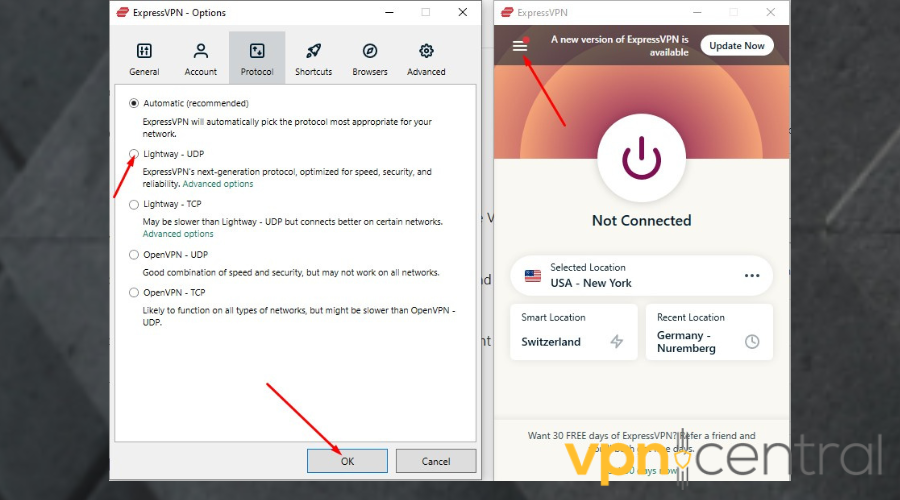
Switching protocols often resolves Error 789 (protocol or port mismatch), and related errors which appear when the chosen protocol isn’t supported by your network. If the tunnel starts but can’t complete due to blocked GRE/IPsec traffic, Windows may show VPN error 806.
3) Clear DNS and Reset Network Caches (Desktop)
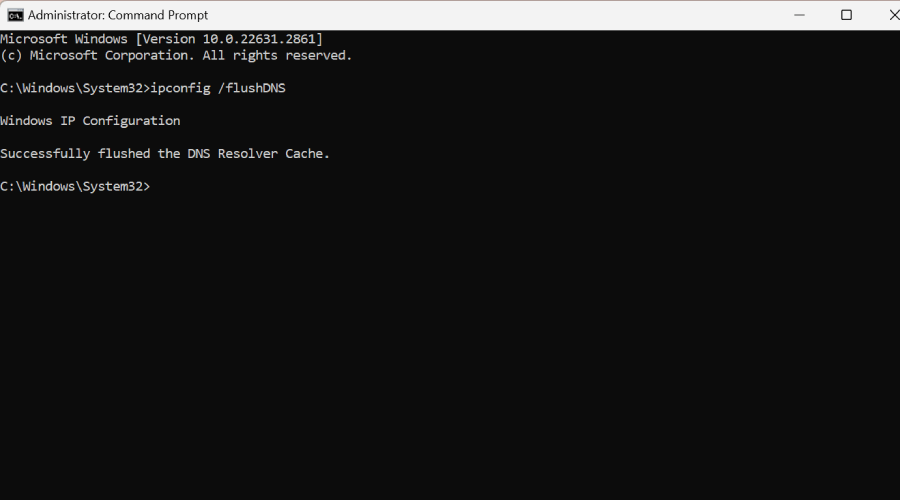
- On Windows, open Command Prompt as admin and run:
ipconfig /flushdns - On macOS, run:
sudo dscacheutil -flushcache; sudo killall -HUP mDNSResponder - Restart the device and try the VPN again.
If the adapter disappears or fails, it may trigger Error 1168 (element not found). Reinstalling the VPN or resetting the network adapter usually solves it. More guidance is available in VPN not showing up in network connections.
4) Create Firewall and Antivirus Exceptions
- Pause real-time protection briefly to test the connection.
- If the VPN connects, add the app and its services to the allowlist.
- Turn security protection back on and test again.
Antivirus conflicts often cause disconnects such as Error 628 (connection dropped). Allowlisting your VPN prevents security software from interfering.
5) Reinstall and Reset the VPN App
- Sign out and fully uninstall the VPN app.
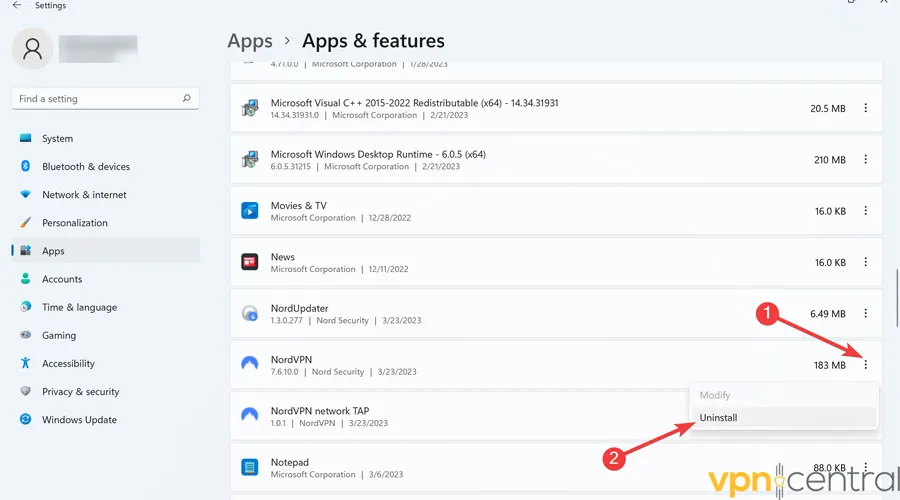
- Reboot the device.
- Install the latest version, sign in, and reconnect.
6) Fix VPN on Mobile (iOS/Android)
- Toggle Airplane Mode on and off.
- Switch between Wi-Fi and mobile data to isolate the network.
- Update the VPN app and your OS.
- Clear the app cache (Android) or reinstall (iOS/Android).
7) Try a Different VPN Client
- Uninstall your current VPN app completely.
- Use an industry-leading VPN, our top choice to prevent errors is ExpressVPN. Go to the official ExpressVPN website and download the installer for your device.
- Run the installer and follow the on-screen instructions.
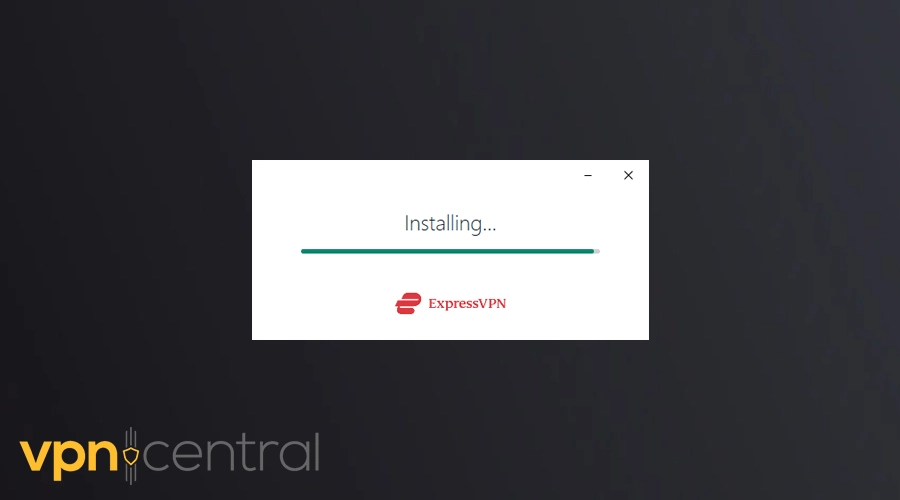
- Sign in with your account or activate your subscription code.
- Choose a nearby server and connect.
Why switch? ExpressVPN consistently ranks as one of the most reliable providers in independent tests. It uses protocols like Lightway and WireGuard, which connect faster and handle network changes better. If your old VPN fails due to poor server availability, blocked ports, or slow updates, ExpressVPN’s optimized infrastructure helps avoid these errors. You’ll also benefit from 24/7 live chat support if problems persist.
Tips to Improve Stability
- Use wired Ethernet or sit closer to the router.
- Choose nearby servers for lower latency.
- Turn off battery savers and low-data modes while connected.
FAQs
Your router may block VPN traffic or drop packets. Reboot it, try a different band, enable VPN passthrough, and switch protocols. If it still fails, test another network. You can also check VPN blocked by router for fixes specific to router restrictions.
Update the app and OS, toggle Airplane Mode, switch between Wi-Fi and mobile data, then clear the app cache or reinstall. Re-enter credentials and test another server.
Weak Wi-Fi, battery savers, or firewall rules cause drops. Use Ethernet when possible, move closer to the router, and allowlist the VPN in your security software.
Yes. Security suites can block the tunnel or adapter. Test by pausing protection briefly, then add the VPN to exceptions and re-enable protections.
This usually means the provider’s servers are overloaded or misconfigured. Follow the steps in VPN not changing location to verify server assignment and clear cached IP data.
Conclusion
Work through the steps in order. Most users restore connections by switching servers, changing protocols, flushing DNS, and creating firewall exceptions. Reinstall the app if needed. If problems continue, upgrading to a reliable VPN like ExpressVPN often solves stubborn connection failures, thanks to stronger infrastructure and faster protocol support.
If nothing helps and you need to disable the service entirely, follow the instructions in how to turn off a VPN for your specific device.


Read our disclosure page to find out how can you help VPNCentral sustain the editorial team Read more


Improve this guide




User forum
2 messages